LLM APIs and MCP Cheat Sheet
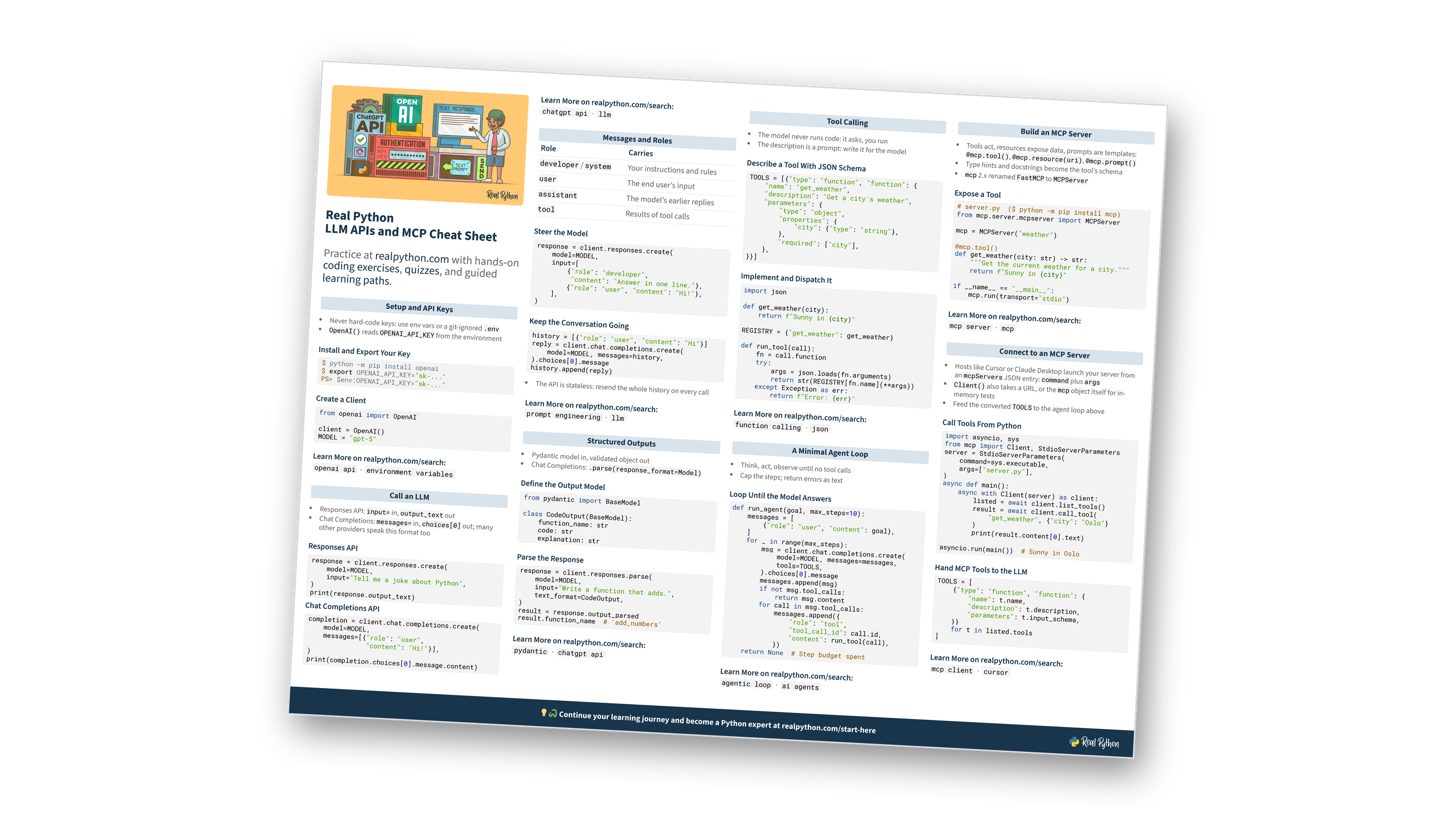
This page contains a condensed overview of working with LLM APIs and the Model Context Protocol (MCP) in Python. It covers setting up API keys, calling an LLM with the Responses and Chat Completions APIs, messages and roles, structured outputs, tool calling, a minimal agent loop, and building and connecting to MCP servers. You can also download the information as a printable cheat sheet:
Free Bonus: LLM APIs and MCP Cheat Sheet
Get an LLM APIs and MCP Cheat Sheet (PDF) and keep API calls, structured outputs, tool calling, agent loops, and MCP servers at hand on one page:
Practice with hands-on coding exercises, quizzes, and guided learning paths. Not sure where to begin? Start here.
New to LLM APIs?
Setup and API Keys
- Never hard-code keys: use env vars or a git-ignored
.env OpenAI()readsOPENAI_API_KEYfrom the environment
Install and Export Your Key
$ python -m pip install openai
$ export OPENAI_API_KEY="sk-..."
PS> $env:OPENAI_API_KEY="sk-..."
Create a Client
from openai import OpenAI

client = OpenAI()
MODEL = "gpt-5"
Want to keep your keys safe?
Call an LLM
- Responses API:
input=in,output_textout - Chat Completions:
messages=in,choices[0]out; many other providers speak this format too
Responses API
response = client.responses.create(
    model=MODEL,
    input="Tell me a joke about Python",
)
print(response.output_text)
Chat Completions API
completion = client.chat.completions.create(
    model=MODEL,
    messages=[{"role": "user",
               "content": "Hi!"}],
)
print(completion.choices[0].message.content)
Two APIs, which one?
Messages and Roles
- The API is stateless: resend the whole history on every call
| Role | Carries |
|---|---|
developer / system |
Your instructions and rules |
user |
The end user’s input |
assistant |
The model’s earlier replies |
tool |
Results of tool calls |
Steer the Model
response = client.responses.create(
    model=MODEL,
    input=[
        {"role": "developer",
         "content": "Answer in one line."},
        {"role": "user", "content": "Hi!"},
    ],
)
Keep the Conversation Going
history = [{"role": "user", "content": "Hi"}]
reply = client.chat.completions.create(
    model=MODEL, messages=history,
).choices[0].message
history.append(reply)
Think you’ve got roles down?
Structured Outputs
- Pydantic model in, validated object out
- Chat Completions:
.parse(response_format=Model)
Define the Output Model
from pydantic import BaseModel

class CodeOutput(BaseModel):
    function_name: str
    code: str
    explanation: str
Parse the Response
response = client.responses.parse(
    model=MODEL,
    input="Write a function that adds.",
    text_format=CodeOutput,
)
result = response.output_parsed
result.function_name  # 'add_numbers'
What if the output doesn’t fit?
Free Bonus: Download the LLM APIs and MCP Cheat Sheet PDF and keep the essentials at hand.
Tool Calling
- The model never runs code: it asks, you run
- The description is a prompt: write it for the model
Describe a Tool With JSON Schema
TOOLS = [{"type": "function", "function": {
    "name": "get_weather",
    "description": "Get a city's weather",
    "parameters": {
        "type": "object",
        "properties": {
            "city": {"type": "string"},
        },
        "required": ["city"],
    },
}}]
Implement and Dispatch It
import json

def get_weather(city):
    return f"Sunny in {city}"

REGISTRY = {"get_weather": get_weather}

def run_tool(call):
    fn = call.function
    try:
        args = json.loads(fn.arguments)
        return str(REGISTRY[fn.name](**args))
    except Exception as err:
        return f"Error: {err}"
Want to go deeper on tool calling?
A Minimal Agent Loop
- Think, act, observe until no tool calls
- Cap the steps; return errors as text
Loop Until the Model Answers
def run_agent(goal, max_steps=10):
    messages = [
        {"role": "user", "content": goal},
    ]
    for _ in range(max_steps):
        msg = client.chat.completions.create(
            model=MODEL, messages=messages,
            tools=TOOLS,
        ).choices[0].message
        messages.append(msg)
        if not msg.tool_calls:
            return msg.content
        for call in msg.tool_calls:
            messages.append({
                "role": "tool",
                "tool_call_id": call.id,
                "content": run_tool(call),
            })
    return None  # Step budget spent
Still fuzzy on the agent loop?
Build an MCP Server
- Tools act, resources expose data, prompts are templates:
@mcp.tool(),@mcp.resource(uri),@mcp.prompt() - Type hints and docstrings become the tool’s schema
mcp2.x renamedFastMCPtoMCPServer
server.py
# Install first: python -m pip install mcp
from mcp.server.mcpserver import MCPServer

mcp = MCPServer("weather")

@mcp.tool()
def get_weather(city: str) -> str:
    """Get the current weather for a city."""
    return f"Sunny in {city}"

if __name__ == "__main__":
    mcp.run(transport="stdio")
Ready to test yourself on MCP?
Connect to an MCP Server
- Hosts like Cursor or Claude Desktop launch your server from an
mcpServersJSON entry:commandplusargs Client()also takes a URL, or themcpobject itself for in-memory tests- Feed the converted
TOOLSto the agent loop above
Call Tools From Python
import asyncio, sys
from mcp import Client, StdioServerParameters
server = StdioServerParameters(
    command=sys.executable,
    args=["server.py"],
)
async def main():
    async with Client(server) as client:
        listed = await client.list_tools()
        result = await client.call_tool(
            "get_weather", {"city": "Oslo"}
        )
        print(result.content[0].text)

asyncio.run(main())  # Sunny in Oslo
Hand MCP Tools to the LLM
TOOLS = [
    {"type": "function", "function": {
        "name": t.name,
        "description": t.description,
        "parameters": t.input_schema,
    }}
    for t in listed.tools
]
Want to use your server from an AI app?
Ready to go beyond the cheat sheet?
You can download this information as a printable cheat sheet:
Free Bonus: LLM APIs and MCP Cheat Sheet
Get an LLM APIs and MCP Cheat Sheet (PDF) and keep API calls, structured outputs, tool calling, agent loops, and MCP servers at hand on one page:
