Python Supply Chain Security Cheat Sheet
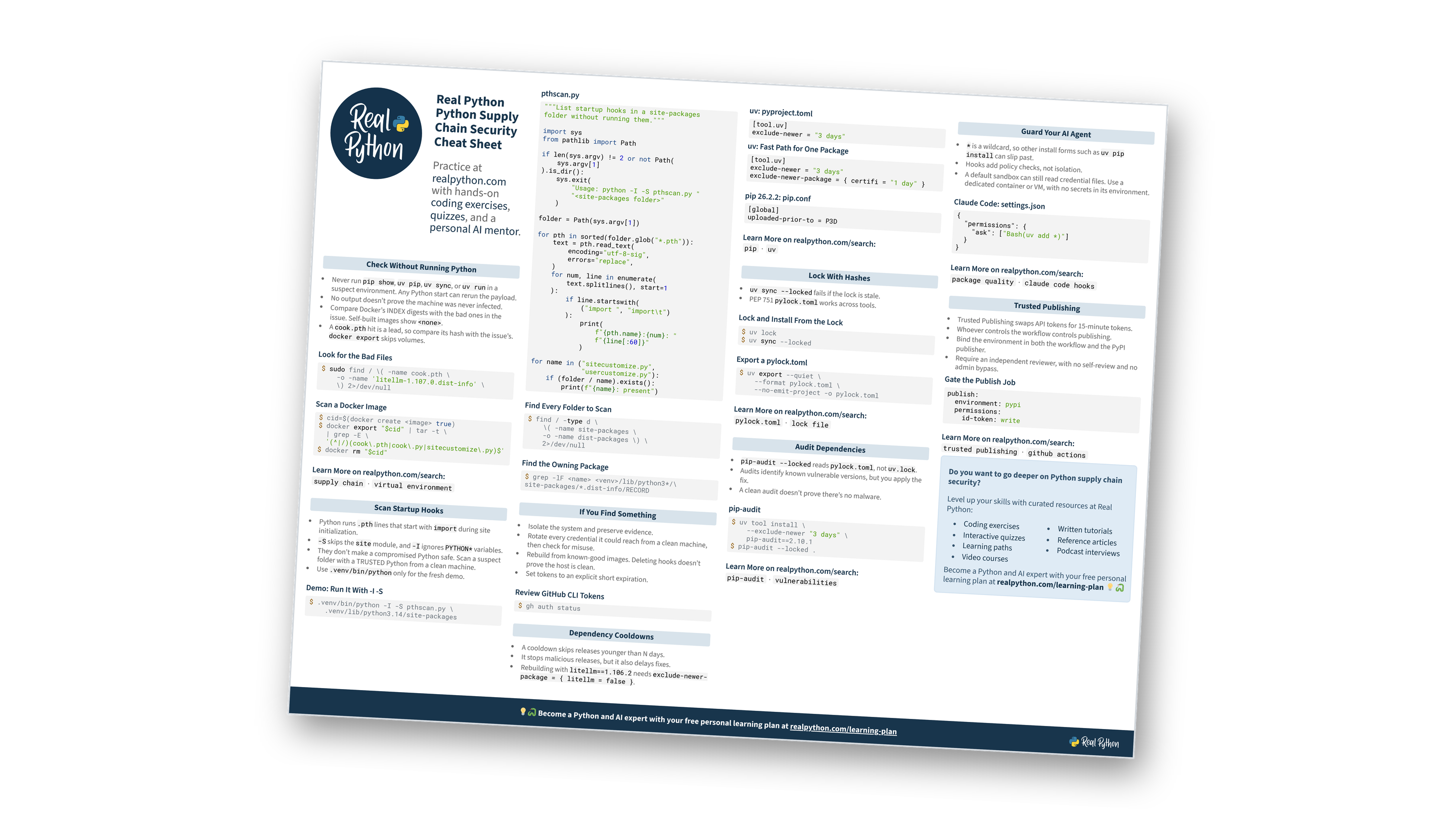
This page contains a condensed overview of Python supply chain security. It covers incident checks, startup hook scans, incident response, dependency cooldowns, lock files, audits, agent guardrails, and Trusted Publishing. You can also download the information as a printable cheat sheet:
Free Bonus: Python Supply Chain Security Cheat Sheet
Get a Python Supply Chain Security Cheat Sheet (PDF) and keep incident checks, cooldowns, lock and audit commands, and key rotation steps at hand:
Practice with hands-on coding exercises, quizzes, and a personal AI mentor. Not sure what to learn next? Get your free personal learning plan.
Think you’ve spotted a risk in your setup?
Check Without Running Python
- Never run
pip show,uv pip,uv sync, oruv runin a suspect environment. Any Python start can rerun the payload. - No output doesn’t prove the machine was never infected.
- Compare Docker’s INDEX digests with the bad ones in the issue. Self-built images show
<none>. - A
cook.pthhit is a lead, so compare its hash with the issue’s.docker exportskips volumes.
Look for the Bad Files
$ sudo find / \( -name cook.pth \
    -o -name 'litellm-1.107.0.dist-info' \
    \) 2>/dev/null
Scan a Docker Image
$ cid=$(docker create <image> true)
$ docker export "$cid" | tar -t \
  | grep -E \
  '(^|/)(cook\.pth|cook\.py|sitecustomize\.py)$'
$ docker rm "$cid"
Not sure how a hook slipped in?
Scan Startup Hooks
- Python runs
.pthlines that start withimportduring site initialization. -Sskips thesitemodule, and-IignoresPYTHON*variables.- They don’t make a compromised Python safe. Scan a suspect folder with a TRUSTED Python from a clean machine.
- Use
.venv/bin/pythononly for the fresh demo.
Demo: Run It With -I -S
$ .venv/bin/python -I -S pthscan.py \
    .venv/lib/python3.14/site-packages
pthscan.py
"""List startup hooks in a site-packages
folder without running them."""

import sys
from pathlib import Path

if len(sys.argv) != 2 or not Path(
    sys.argv[1]
).is_dir():
    sys.exit(
        "Usage: python -I -S pthscan.py "
        "<site-packages folder>"
    )

folder = Path(sys.argv[1])

for pth in sorted(folder.glob("*.pth")):
    text = pth.read_text(
        encoding="utf-8-sig",
        errors="replace",
    )
    for num, line in enumerate(
        text.splitlines(), start=1
    ):
        if line.startswith(
            ("import ", "import\t")
        ):
            print(
                f"{pth.name}:{num}: "
                f"{line[:60]}"
            )

for name in ("sitecustomize.py",
             "usercustomize.py"):
    if (folder / name).exists():
        print(f"{name}: present")
Find Every Folder to Scan
$ find / -type d \
    \( -name site-packages \
    -o -name dist-packages \) \
    2>/dev/null
Find the Owning Package
$ grep -lF <name> <venv>/lib/python3*/\
site-packages/*.dist-info/RECORD
Curious what runs when Python starts?
If You Find Something
- Isolate the system and preserve evidence.
- Rotate every credential it could reach from a clean machine, then check for misuse.
- Rebuild from known-good images. Deleting hooks doesn’t prove the host is clean.
- Set tokens to an explicit short expiration.
Review GitHub CLI Tokens
$ gh auth status
Not sure what to do after a hit?
Dependency Cooldowns
- A cooldown skips releases younger than N days.
- It stops malicious releases, but it also delays fixes.
- Rebuilding with
litellm==1.106.2needsexclude-newer-package = { litellm = false }.
uv: pyproject.toml
[tool.uv]
exclude-newer = "3 days"
uv: Fast Path for One Package
[tool.uv]
exclude-newer = "3 days"
exclude-newer-package = { certifi = "1 day" }
pip 26.2.2: pip.conf
[global]
uploaded-prior-to = P3D
Wondering how long a cooldown should be?
Free Bonus: Download the Python Supply Chain Security Cheat Sheet PDF and keep the essentials at hand.
Lock With Hashes
uv sync --lockedfails if the lock is stale.- PEP 751
pylock.tomlworks across tools.
Lock and Install From the Lock
$ uv lock
$ uv sync --locked
Export a pylock.toml
$ uv export --quiet \
    --format pylock.toml \
    --no-emit-project -o pylock.toml
Lock files still fuzzy?
Audit Dependencies
pip-audit --lockedreadspylock.toml, notuv.lock.- Audits identify known vulnerable versions, but you apply the fix.
- A clean audit doesn’t prove there’s no malware.
pip-audit
$ uv tool install \
    --exclude-newer "3 days" \
    pip-audit==2.10.1
$ pip-audit --locked .
Ready to test what you know about audits?
Guard Your AI Agent
*is a wildcard, so other install forms such asuv pip installcan slip past.- Hooks add policy checks, not isolation.
- A default sandbox can still read credential files. Use a dedicated container or VM, with no secrets in its environment.
Claude Code: settings.json
{
  "permissions": {
    "ask": ["Bash(uv add *)"]
  }
}
Want a safer agent setup?
Trusted Publishing
- Trusted Publishing swaps API tokens for 15-minute tokens.
- Whoever controls the workflow controls publishing.
- Bind the environment in both the workflow and the PyPI publisher.
- Require an independent reviewer, with no self-review and no admin bypass.
Gate the Publish Job
publish:
  environment: pypi
  permissions:
    id-token: write
Does your release pipeline hold up?
Do you want to go deeper on Python supply chain security?
Level up your skills with curated resources at Real Python:
- Coding exercises
- Interactive quizzes
- Learning paths
- Video courses
- Written tutorials
- Reference articles
- Podcast interviews
Become a Python and AI expert with your free personal learning plan at realpython.com/learning-plan 💡🐍
Ready for the next step?
You can download this information as a printable cheat sheet:
Free Bonus: Python Supply Chain Security Cheat Sheet
Get a Python Supply Chain Security Cheat Sheet (PDF) and keep incident checks, cooldowns, lock and audit commands, and key rotation steps at hand:
