

What is the best way to find things to learn on realpython.com? In this lesson you’ll see how our site-wide search box works, so you can quickly find the courses, tutorials, and other learning content you’re looking for.
The search page gives you filters that narrow the 9,000+ items in the library down to the ones you want, and a sort control that lets you choose which ones you see first:
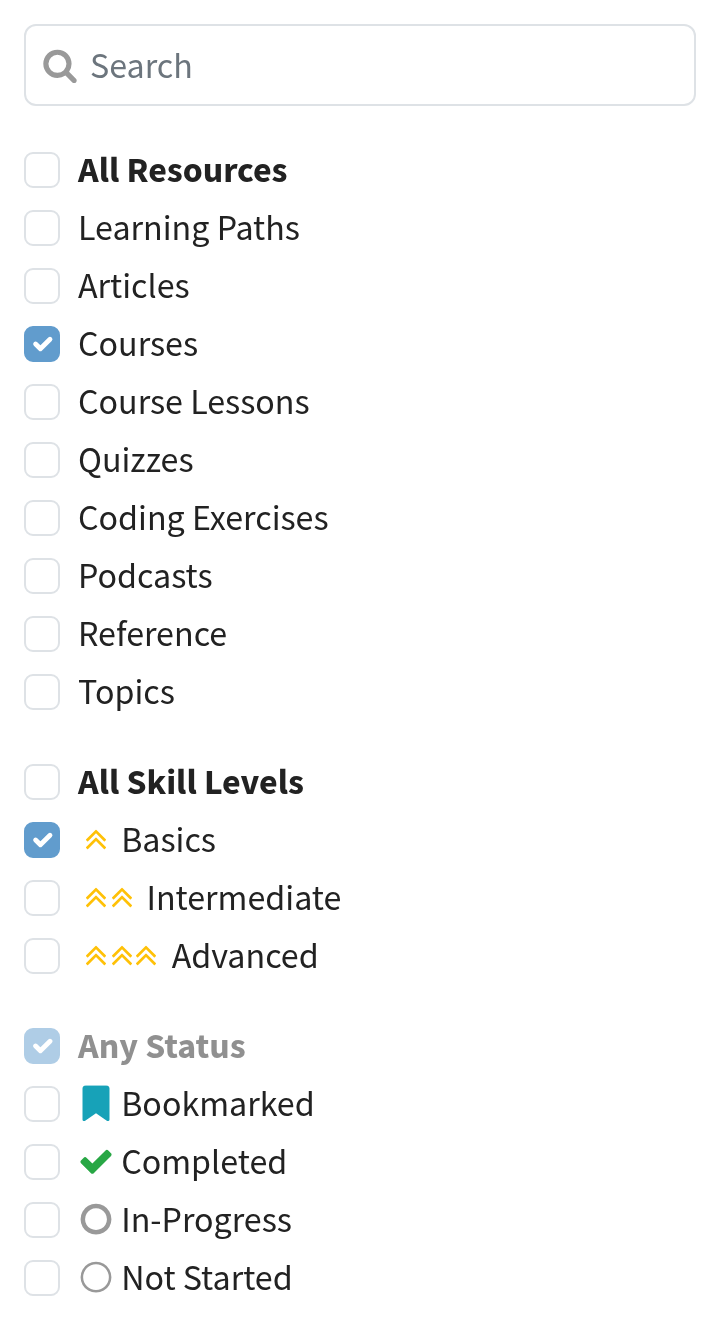
You’ll find three groups of filters. On a wide screen they sit beside your results, and on a narrow one they move above them:
- Resource type: Learning Paths, Articles, Courses, Course Lessons, Quizzes, Coding Exercises, Podcasts, Reference, and Topics
- Skill level: Basics, Intermediate, or Advanced
- Status: Bookmarked, Completed, In-Progress, or Not Started, so you can pick up where you left off
The sort control is separate from the filters, and it sits with your results. You start on Relevance, and you can switch to Newest or Recently Viewed.
Tick two options inside the same group and you’ll see more results. Tick options in different groups and you’ll see fewer. So Courses plus Quizzes shows you both, while Courses plus Basics shows you only beginner courses.
Real Python publishes new tutorials and courses multiple times per week, so there’s always something new to find. Sort your results by Newest to see the latest first.
Important Links:


Dan Bader RP Team on April 18, 2020
We’ve just launched a completely new search experience that’s available now for you at realpython.com/search
It’ll be your new jumping off point to explore Real Python’s entire tutorial and course library.
Our goal was to give you a quick and convenient way for finding the Python training resources you need in the moment:
You can easily filter for specific types of content, like written articles and tutorials, video lessons, or coding quizzes. Or combine this with a skill-level filter to get resources matching your level of experience…
And of course there’s still a search box, so you can pull up a list of all Django, OOP, NumPy, etc resources in a jiffy!
We’ve been beta testing the new search feature with the team and in the RP Community Slack for a while. And I think it’s a huge improvement over the previous search UI we had on the site.
Give it a go and let us know what you think :)