conda Cheat Sheet
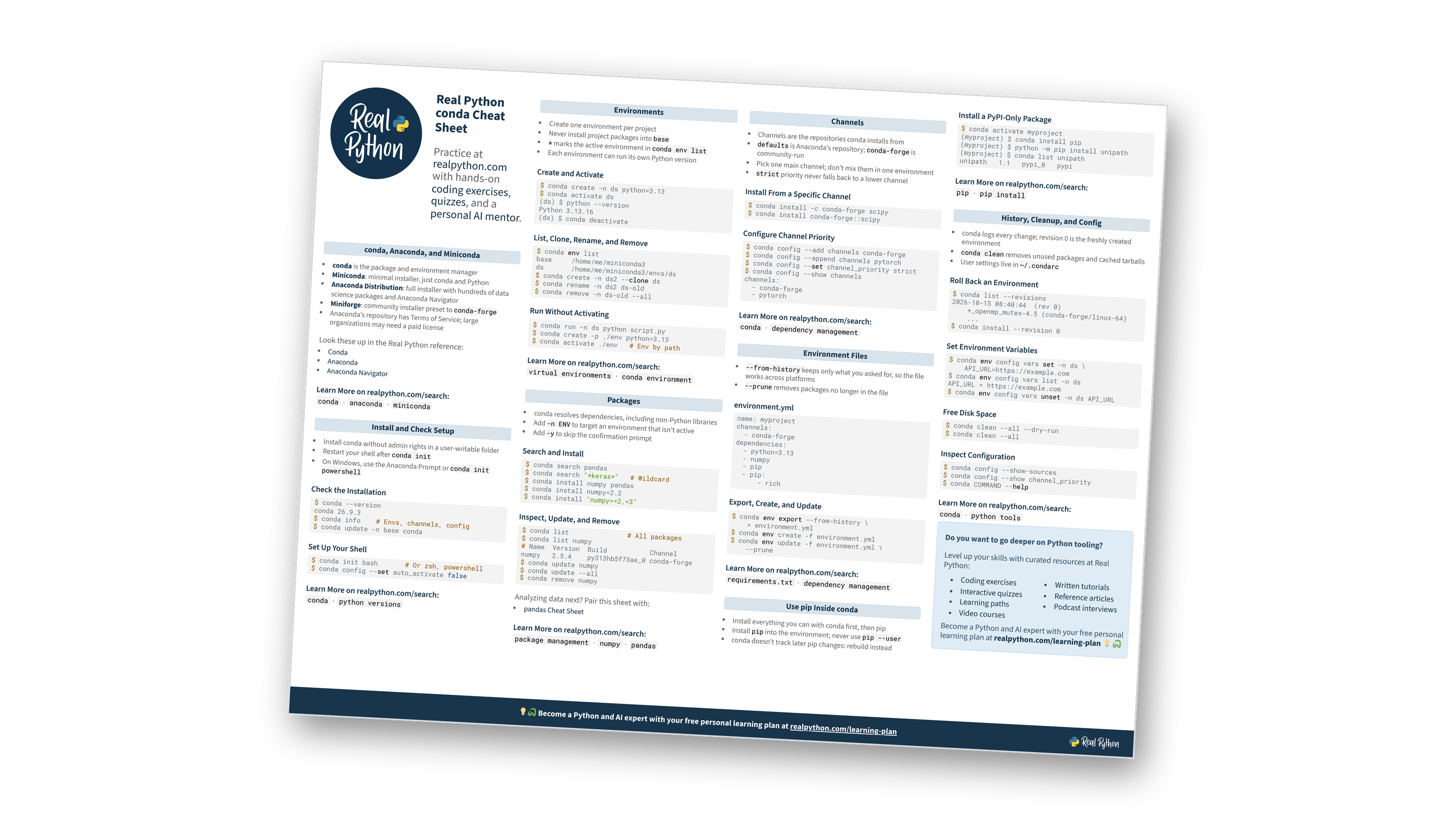
This page contains a condensed overview of conda, the package and environment manager behind Anaconda and Miniconda. It covers installation, environments, packages, channels, environment.yml files, pip interoperability, and cleanup.
You can also download the information as a printable cheat sheet, conda-cheatsheet.pdf:
Free Bonus: conda Cheat Sheet
Get a conda Cheat Sheet (PDF) with the commands for environments, packages, channels, and environment files on one printable page:
Practice with hands-on coding exercises, quizzes, and a personal AI mentor. Not sure what to learn next? Get your free personal learning plan.
New to conda?
conda, Anaconda, and Miniconda
- conda: The package and environment manager
- Miniconda: A minimal installer with only conda, Python, and their dependencies
- Anaconda Distribution: A full installer with hundreds of data science packages and Anaconda Navigator
- Miniforge: A community installer preset to
conda-forge - Licensing: Anaconda’s repository has Terms of Service, and large organizations may need a paid license
Look these up in the Real Python reference:
Not sure which installer to pick?
Installation and Setup
- Install Miniconda without admin rights in a user-writable folder.
- Miniforge installs conda preset to
conda-forge, with no Anaconda Terms of Service to accept. - Answer yes when the installer asks to initialize conda, then restart your shell.
- On Windows, use the Anaconda Prompt or
conda init powershell.
Install on macOS and Linux
$ U=https://repo.anaconda.com/miniconda
$ F=Miniconda3-latest-Linux-x86_64.sh
# Apple Silicon Macs use this file instead:
# F=Miniconda3-latest-MacOSX-arm64.sh
$ curl -O "$U/$F"
$ bash "$F"
$ source ~/.bashrc   # Or ~/.zshrc
Install on Windows
PS> $exe = "Miniconda3-latest-" +
>>   "Windows-x86_64.exe"
PS> Invoke-WebRequest -OutFile $exe -Uri `
>> "https://repo.anaconda.com/miniconda/$exe"
PS> Start-Process $exe   # Run the installer
Check the Installation
$ conda --version
conda 26.9.3
$ conda info  # Base environment and channels
$ conda update -n base conda
Set Up Your Shell
$ conda init bash   # Or zsh or powershell
$ conda config --set auto_activate false
Want to go deeper on your setup?
Environments
- Create one environment per project.
- Never install project packages into
base. - Look for
*next to the active environment inconda env list. - Give each environment the Python version it needs.
Create and Activate
$ conda create -n ds python=3.13
$ conda activate ds
(ds) $ python --version
Python 3.13.16
(ds) $ conda deactivate
List, Clone, Rename, and Remove
$ conda env list
base     /home/me/miniconda3
ds       /home/me/miniconda3/envs/ds
$ conda create -n ds2 --clone ds
$ conda rename -n ds2 ds-old
$ conda remove -n ds-old --all
Run Without Activating
$ conda run -n ds python script.py
$ conda create -p ./env python=3.13
$ conda activate ./env   # Activate by path
Think you’ve got environments down?
Packages
- Rely on conda to resolve dependencies, including non-Python libraries.
- Add
-n ENVto target an environment that isn’t active. - Add
-yto skip the confirmation prompt.
Search and Install
$ conda search pandas
$ conda search "*keras*"   # Wildcard
$ conda install numpy pandas
$ conda install numpy=2.2
$ conda install "numpy>=2,<3"
Inspect, Update, and Remove
$ conda list               # All packages
$ conda list numpy
# Name  Version  Build           Channel
numpy   2.5.4    py313hb5f73ae_0 conda-forge
$ conda update numpy
$ conda update --all
$ conda remove numpy
Analyzing data next? Pair this sheet with the pandas Cheat Sheet.
Wondering what an update touches?
Free Bonus: Download the conda Cheat Sheet PDF and keep the essentials at hand.
Channels
defaultsis Anaconda’s repository, andconda-forgeis community-run.- Mixing channels in one environment can cause conflicts, so pick one main channel.
- Miniconda ships with
defaults, so remove it to use onlyconda-forge. - Strict priority ignores lower-priority channels for any package that a higher-priority channel has.
Install From a Specific Channel
$ conda install -c conda-forge scipy
$ conda install conda-forge::scipy
Switch to conda-forge
$ conda config --system \
    --remove channels defaults
$ conda config --add channels conda-forge
$ conda config --append channels bioconda
$ conda config --set channel_priority strict
$ conda config --show channels
channels:
  - conda-forge
  - bioconda
Channel priority still fuzzy?
Environment Files
--from-historykeeps only what you asked for, so the file works across platforms, but it leaves out pip packages. Add those topip:by hand.--pruneremoves conda packages that are no longer in the file, but pip packages stay.
environment.yml
name: myproject
channels:
  - conda-forge
dependencies:
  - python=3.13
  - numpy
  - pip
  - pip:
      - rich
Export, Create, and Update
$ conda env export --from-history \
    > environment.yml
$ conda env create -f environment.yml
$ conda env update -f environment.yml \
    --prune
Coming from requirements.txt?
Packages From PyPI With pip
- Install everything you can with conda first, then use pip.
- Install
pipinto the environment and never usepip --user. - After using pip, recreate the environment if you need more conda packages.
- List pip packages under
pip:yourself, since--from-historyexports skip them. - Install pure-Python PyPI packages with conda 26.9 and later through the
conda-pypichannel.
Install a PyPI-Only Package
$ conda activate myproject
(myproject) $ conda install pip
(myproject) $ python -m pip install unipath
(myproject) $ conda list unipath
unipath   1.1   pypi_0   pypi
Mixing conda and pip?
History, Cleanup, and Configuration
- Most conda package changes create a revision, and revision
0is the freshly created environment. - Revisions and rollbacks don’t track pip packages.
conda cleanremoves unused packages and cached tarballs.- User settings live in
~/.condarc.
Roll Back an Environment
$ conda list --revisions
2026-10-15 08:40:44  (rev 0)
    +_openmp_mutex-4.5 (conda-forge/linux-64)
    ...
$ conda install --revision 0
Free Disk Space
$ conda clean --all --dry-run
$ conda clean --all
Inspect Configuration
$ conda config --show-sources
$ conda config --show channel_priority
$ conda COMMAND --help
Ready to test yourself?
Do you want to go deeper on Python tooling?
Level up your skills with curated resources at Real Python:
- Coding exercises
- Interactive quizzes
- Learning paths
- Video courses
- Written tutorials
- Reference articles
- Podcast interviews
Become a Python and AI expert with your free personal learning plan at realpython.com/learning-plan 💡🐍
Ready to go beyond the cheat sheet?
You can download this information as a printable cheat sheet:
Free Bonus: conda Cheat Sheet
Get a conda Cheat Sheet (PDF) with the commands for environments, packages, channels, and environment files on one printable page:
