

When you use an AI assistant, you’re working with two separate things at once: the model and the harness. You saw both in The Parts of an AI System, and keeping them apart helps you judge a result.
- The model does the thinking. It reads what it’s given and writes a reply, or asks for an action. The big models run on the computers of the company that makes them, not on yours.
- The harness is the app around the model. It shows you the conversation, decides what the model gets to see, carries out actions with its tools, and asks for your permission.
A horse’s harness is a good way to picture it. The horse provides the strength, and the harness connects that strength to the cart so that someone can steer. In the same way, the model provides the intelligence, and the app connects it to your files, your apps, and you.
In the illustration below, the model is the horse doing the pulling, and the harness connects it to the cart:
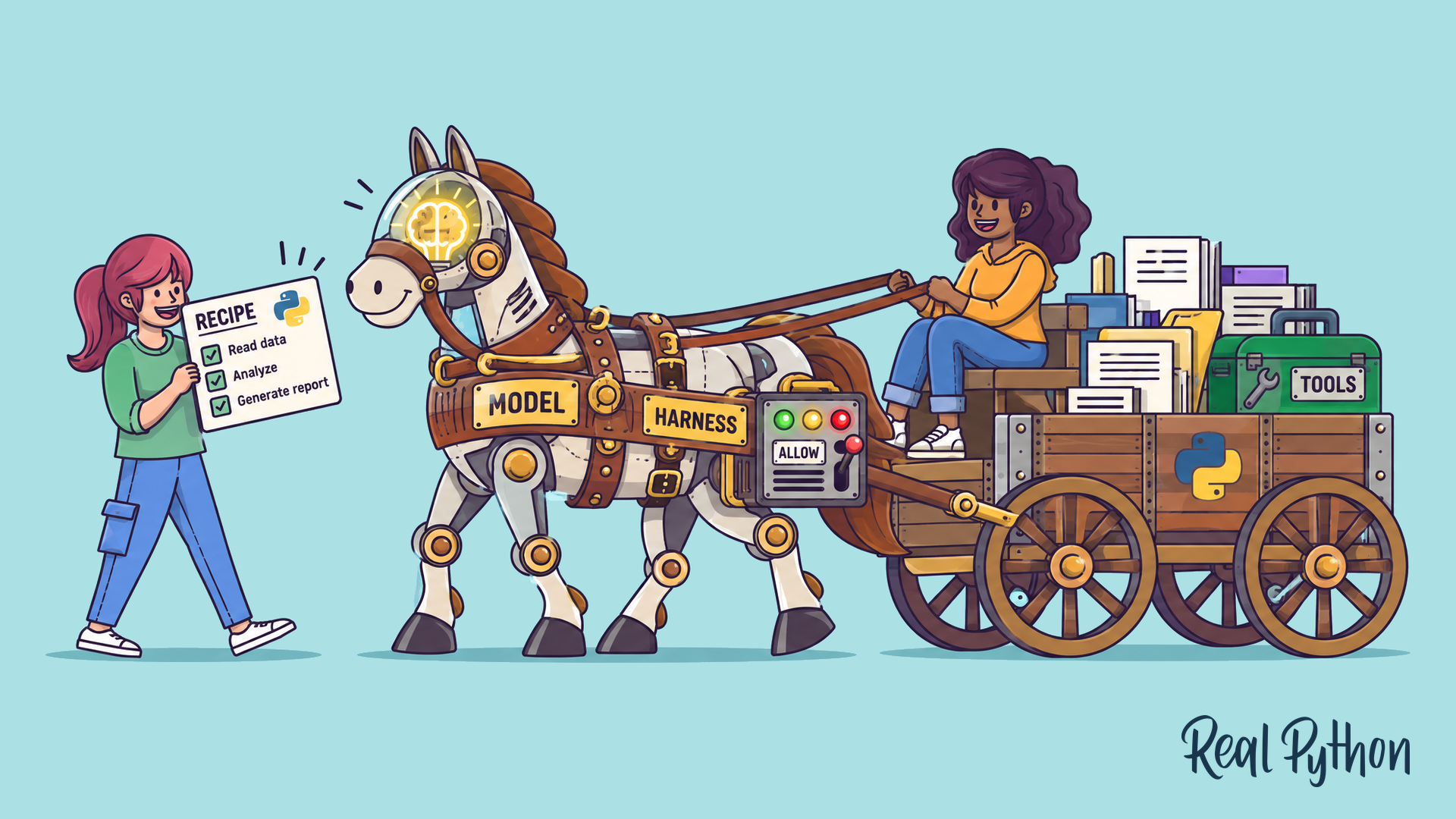
You’re the one holding the reins, steering and approving. The cart carries your documents and the toolbox of actions the app can take, and the recipe on the left is a skill, a set of written instructions for one kind of job.
Telling Them Apart by Name
The companies that make the big models also make the apps you use them in, and they often give both the same name:
| The app (harness) | The model inside it |
|---|---|
| ChatGPT | GPT |
| Claude | Claude |
| Gemini | Gemini |
| Grok | Grok |
Only ChatGPT gives its app a different name. With the others, “Claude” can mean the app you open or the model inside it. So when someone says “Claude got it wrong,” it’s worth asking which one they mean: the model’s thinking, or what the app gave it to work with.
What the Harness Does
The model reads and writes. Everything else is the harness’s job. When you send a message, the harness passes the model your words along with whatever else it decides the model needs, like the files you attached and the app’s standing instructions, called the system prompt. When the model asks for an action, like searching the web or opening a document, the harness decides whether to allow it, checks with you when it should, carries it out with one of its tools, and passes the result back. The model asked for the search, and the harness ran it.
One Model, Many Apps
Because the model and the harness are separate, one model can sit inside many different apps. The same model might run a chat app, an assistant in your email program, and a vendor’s support chat. Each app gives the model different instructions, tools, and permissions, so the same model behaves differently from one app to the next.
Here’s how one model can behave in three apps:
- In a chat app in your browser, the model sees only what you type or upload.
- In a desktop app you’ve given a folder, the model can ask to read and edit the files in that folder.
- In a vendor’s support chat, the system prompt limits it to questions about the vendor’s products, so a request to summarize your quarterly report gets turned down.
The model is identical in all three. Only the harness changed.
It also works the other way around. Many apps let you pick the model, so the same harness can use a quicker model for simple questions and a stronger one for harder work. You’ll also see the word harness in AI news, where people compare harnesses the same way they compare models.
In the map below, click any part to see what it does. When you’re ready, switch to labeling the parts yourself:
Model Problem or Harness Problem?
Say your assistant adds up the receipts for your expense report and gets the total wrong. The problem could be in the model’s reasoning, the instructions it followed, the files it was given, or what the app was able to open. Each of those has a different fix, and switching to a smarter model only helps with the first one. You’ll come back to this idea in When the Result Is Wrong: Four Questions.
Try it on three receipt mix-ups. For each one, decide whether switching to a smarter model would fix it before you open the answers:
- The total is wrong, and it turns out the app couldn’t open two of the receipt files.
- The app opened every receipt, but the model filed a client lunch under Office Supplies.
- You asked for a bulleted list, but you got paragraphs, because your saved instructions in the app say “Always answer in paragraphs.”
- No. The model never got two of the receipts, so any model would be adding up an incomplete pile. The fix is getting the app to open the files, or pasting their contents in yourself.
- Maybe. This one is the model’s reasoning, so a stronger model might sort it correctly. Clearer instructions, like your company’s list of expense categories, would help with any model.
- No. The model followed the instructions the app sent along. The fix is changing your saved instructions.
Only the second mix-up is about the model’s thinking. The other two come from what the app handed over.
Next: What a Model Knows
