
Locked learning resources

Join us and get access to thousands of tutorials and a community of expert Pythonistas.

Unlock This Lesson

Locked learning resources

This lesson is for members only. Join us and get access to thousands of tutorials and a community of expert Pythonistas.

Unlock This Lesson

The Model's Limits

In Models and Harnesses, you saw that the model asks and the app does. This lesson gives you a picture to hold on to, and then uses it to explain one of the most confusing moments with an AI assistant: when it can’t open something you gave it.

Picture the model as an expert sitting in a sealed room. The expert can’t walk out to look at your files or open your email. Instead, someone outside the room, the app, slides material under the door: your request, some instructions, and any documents that might help. The expert reads everything and slides a note back. Sometimes the note is an answer, and sometimes it’s a request, like “Please open this web page,” which the app can carry out or refuse:
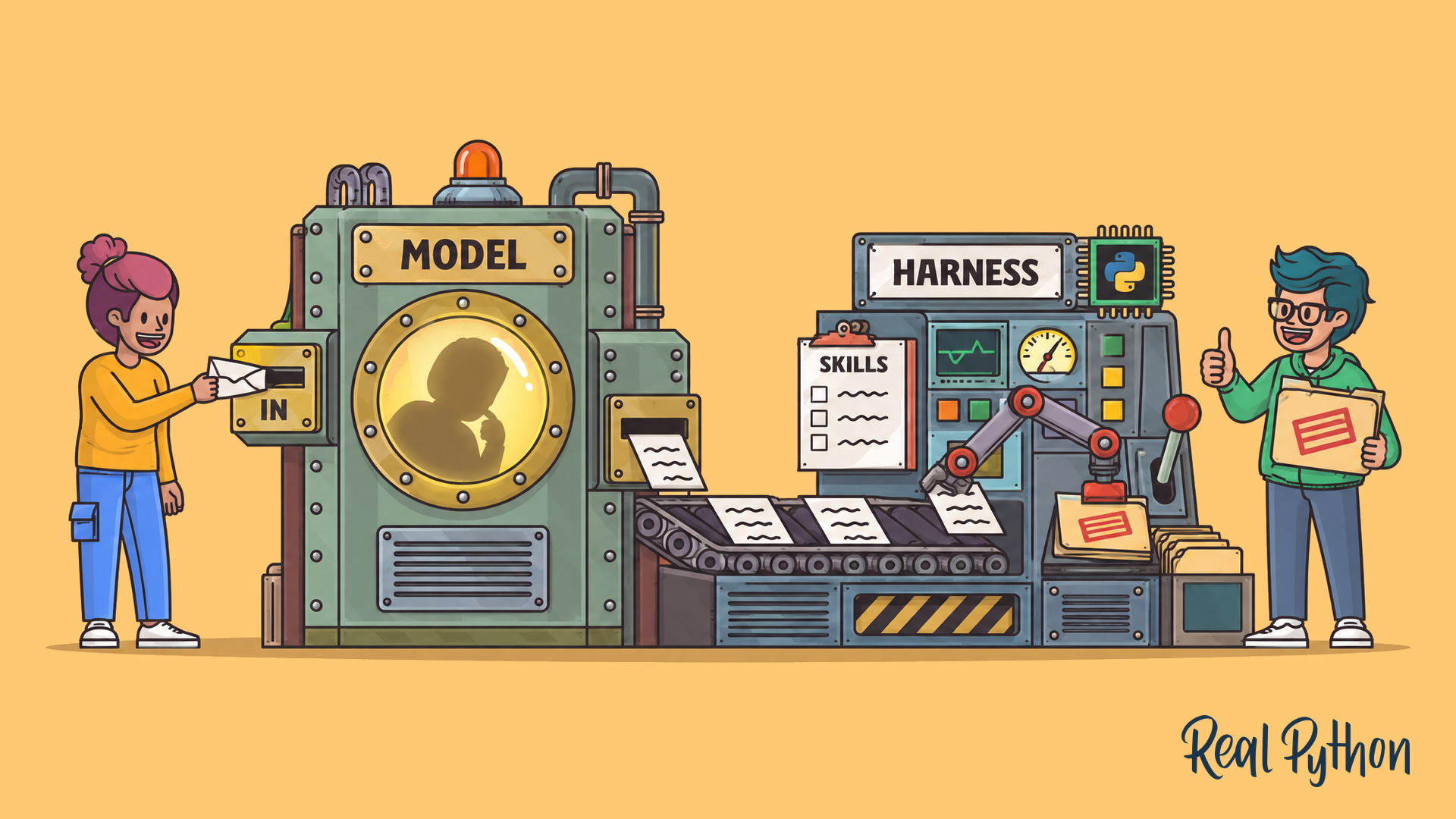
A person posts a note into a sealed booth labeled MODEL with a thinker silhouette inside; notes ride a conveyor to a HARNESS console whose robot arm stamps folders, guided by a SKILLS checklist.
The Model Works in a Sealed Room

The analogy leaves out a few things. Models can write requests in a precise, structured format, and many models can look at images and other kinds of files, depending on what the app supports.

A model can’t reach your files, apps, or accounts on its own. The app around it provides the material and carries out the actions.

Locked learning resources

Join us and get access to thousands of tutorials and a community of expert Pythonistas.

Unlock This Lesson

Already a member? Sign-In

Locked learning resources

The full lesson is for members only. Join us and get access to thousands of tutorials and a community of expert Pythonistas.

Unlock This Lesson

Already a member? Sign-In

00:00 The Model’s Limits.

00:03 Earlier in the course, you saw that the model asks, and the app does. This lesson gives you a picture to hold on to. Then it uses that picture to explain a confusing moment.

00:13 That’s when an assistant can’t open something you gave it. Picture the model as an expert sitting in a sealed room. The expert can’t walk out to look at your files.

00:23 It can’t open your email either. Instead, someone outside the room slides material under the door. That someone is the app. It slides in your request. It adds some instructions, and any documents that might help.

00:39 The expert reads everything and slides a note back.

00:43 Sometimes the note is an answer.

00:45 Sometimes it’s a request, like asking the app to open a web page. The app can carry that out, or it can refuse. The expert never leaves the room. Everything goes through the app.

00:58 The picture leaves out a few things. Models can write their requests in a precise, structured format. And many models can look at images and other kinds of files, depending on what the app supports.

01:10 So a model can’t reach your files, apps, or accounts on its own. The app around it provides the material, and it carries out the actions.

01:18 This picture explains a message you may have seen. Say you paste a link to an online document into a chat, and you ask for a summary. The assistant says it can’t open the document.

01:29 The model can only read what the app slides under the door. So the real question is whether the app could open the link. The document might be private. The app might not be connected to your account.

01:40 Or that app might not open links at all. In each case, nothing reaches the sealed room. The model has nothing to read, so it has nothing to summarize. The fix depends on which part is missing.

01:53 You can connect the app to your account. You can change the document’s sharing settings. Or you can open the document yourself and paste the text into the chat.

02:02 Pasting works in any app, because the text arrives together with your message.

02:06 Sometimes a model doesn’t say that it couldn’t read the document. Instead, it guesses from the words in the link. That’s the same fluent guessing you saw in the last lesson.

02:16 If a summary seems vague, or it doesn’t match what you know is in the document, ask whether it actually read it. A smooth summary isn’t proof that it read anything.

02:25 So the model works in a sealed room, and the app decides what reaches it. Below this video, you can try this in a practice app. Ask for a summary of a private document link, and then ask whether the app actually opened it.

02:38 Then try one of the fixes, and compare the two summaries.

Become a Member to join the conversation.