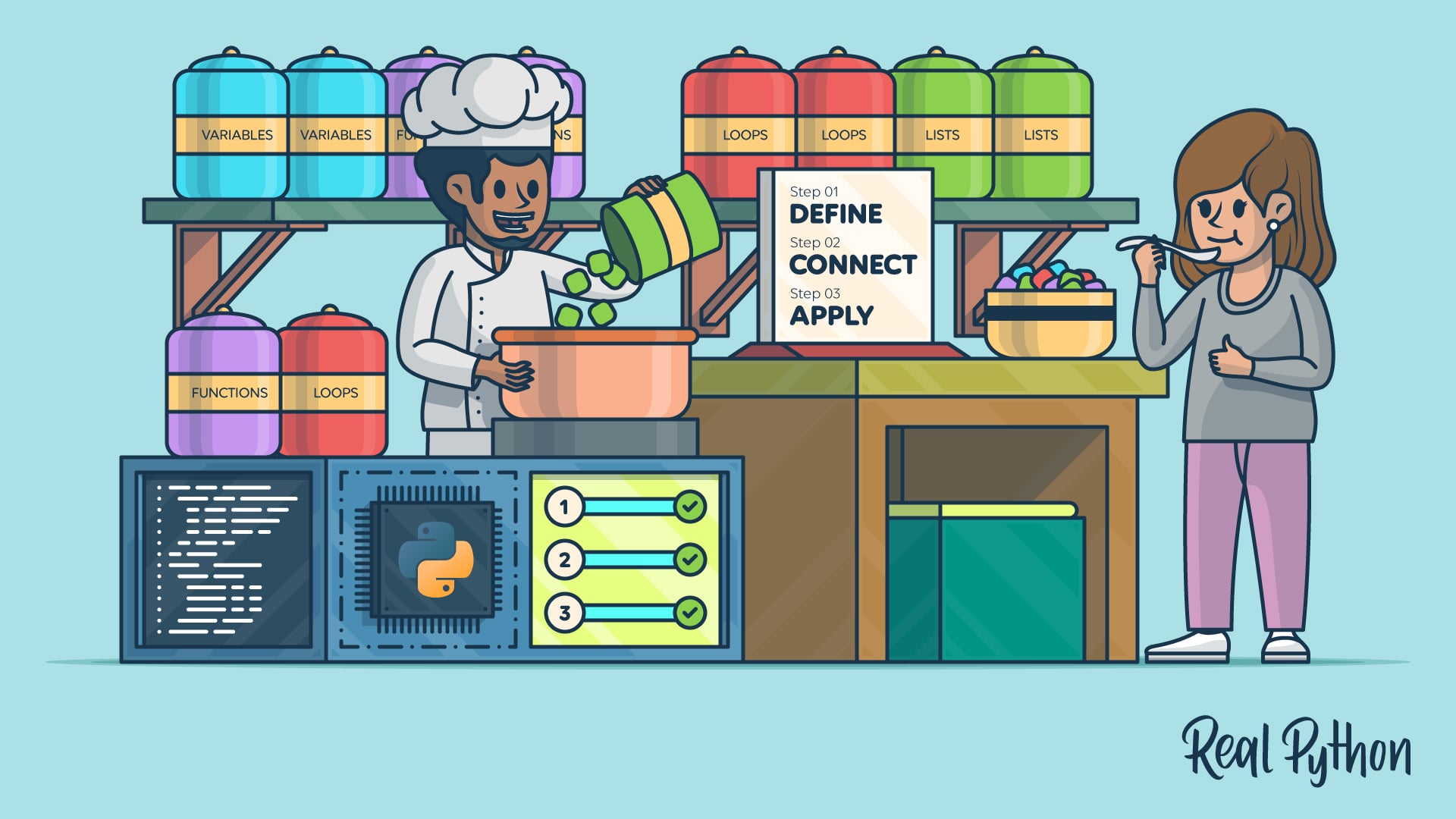
Struggling to conceptualize Python fundamentals is a common problem learners face. If you’re unable to put a fundamental concept into perspective and form a clear mental picture of what it’s about, it’ll be difficult to understand and apply it.
In this guide, you’ll walk through a framework of steps to help you better conceptualize Python fundamentals. This process is helpful for Python developers and learners at any experience level, but especially for beginners. If you are just starting out, this guide will help you build a solid understanding of the basics.
You might want to set aside twenty minutes or so to read through the tutorial, and another thirty minutes to practice on a few key concepts. You should also gather a list of difficult topics, your preferred learning resources, and a note-taking app or pen and paper.
Click the link below to download a free cheat sheet that covers the framework steps you’ll walk through in this guide:
Get Your Cheat Sheet: Click here to download a free PDF that outlines the framework of steps for conceptualizing Python fundamentals.
Take the Quiz: Test your knowledge with our interactive “How to Conceptualize Python Fundamentals for Greater Mastery” quiz. You’ll receive a score upon completion to help you track your learning progress:
Interactive Quiz
How to Conceptualize Python Fundamentals for Greater MasteryCheck your understanding of a framework for conceptualizing Python fundamentals, from defining concepts to comparing similar ideas.
Step 1: Define the Concept in Your Own Words
Begin by briefly describing the concept in your own words. You can write your definition in the downloadable worksheet provided with this tutorial. Note that writing is a powerful tool for reinforcing learning, as educator and former Rutgers University professor Janet Emig asserted in her paper, Writing as a Mode of Learning.
Answer Key Questions for Defining a Concept
As a framework for your definition, consider these key questions:
- What: What is a short description of the concept?
- Why: Why is the concept important in the broader Python context?
- How: How is the concept used in a Python program?
These questions will help you establish a core understanding of the concept you’re learning.
You might feel intimidated when you’re trying to define a Python concept. If you need help, there are many resources that can assist you. Real Python’s Reference section has concise definitions of Python keywords, built-in types, standard library modules, and more to help you build your own descriptions.
If you’re a visual learner, using an illustration can be a powerful way to enhance your understanding. In addition to a written definition, you can draw a picture or diagram to illustrate the concept. For example, the Variables in Python: Usage and Best Practices tutorial shows some example images of how you might picture variables. If you look at the Lists vs Tuples in Python tutorial, you can see a diagram of a Python list.
While pictures can be helpful, being able to conceptualize doesn’t necessarily mean you have to think visually. There are different thinking styles. Some researchers suggest that people can be visual or verbal thinkers. Pattern-based thinking is another style. Several of the tips in this tutorial encourage you to explore different aspects of these styles, depending on which works best for you.
View Examples of Concept Definitions
You might find a couple of examples helpful in understanding how to define difficult concepts. Suppose you’re studying variables. Here are possible responses to the key questions:
- What: A variable is a name that points to an object stored in the program’s memory.
- Why: Variables are key for data processing.
- How: Assigning a value to a variable using the assignment operator (
=) allows you to access your program’s data in a user-friendly way. You can then access and change the value by name throughout the program as needed.
This description provides a concise summary of what a variable is, why it matters, and how to use one. You can also include an example of variable usage as an addendum to your definition:
>>> age = 25
Here, you created a variable called age and assigned it a value of 25. From now on, you can use the variable name age to access, modify, or use the variable’s value.
Or, you might be learning about lists. Your definitions could look like this:
- What: A list is a sequence of values or objects.
- Why: Working with sequences of items is a common, foundational task in programming. Python lists make this important work easier.
- How: You can create a list by writing a pair of square brackets, with a comma-separated sequence of items inside them. Assign the list to a variable to use it throughout your program.
Here’s a short Python list that demonstrates the points in the definitions above:
>>> foods = ["cake", "sushi", "pizza"]
In this example, you created a list called foods. The list contains comma-separated names of three foods inside square brackets.
As you can see, breaking down concepts into a few key points can help make them much easier to understand.
Step 2: Connect Concepts to Familiar Patterns
Once you have a basic understanding of a concept, your next step is to connect it to familiar, similar patterns. There are two primary sources of possible analogies for you to consider:
- Non-digital: Real-world, non-programming examples
- Digital: Examples in familiar software
You’ll find that there are opportunities in the environment around you, both physical and software-based, to see the concepts you’re learning in action.
Find Real-World Analogies
Look at real-world examples around you and in your daily life to see how you can model everyday objects and situations with Python concepts.
Here are some examples of how variables might apply to the real world:
- People have data associated with them, such as names, addresses, and ages. You can think of these as variables associated with each person.
- Item information in a store catalog, such as price and product ID number, can also be considered variables associated with each item.
These are just a few ways that you can see the concept of variables in action.
If you’re learning about lists, here are some real-world examples:
- A teacher might use a list to store a student roster.
- You might record tasks in a to-do list in your daily planner, which could be a physical notebook or software.
Often, you’ll come across examples in your learning materials. For example, Real Python’s guide on inheritance includes a real-life analogy of a dog park to explain the concept. You’ll notice that most tutorials on the Real Python site, as well as other resources, will often include such helpful examples.
Relate Concepts to Familiar Software
You can also view the software you use as potential sources for examples. Even if you’re not exactly sure how certain features are implemented in other software, you can still think about how you might use Python concepts to recreate them.
Here are some ways that variables might show up in software:
- You can use variables in a game to store player data, such as the player’s name, login password, and current level.
- A computer file might have several variables, including the filename, format, size, and location on the computer.
Since variables are a fundamental concept not only in Python but also in nearly every other programming language, you’ll see that these examples are just a few ways variables appear in software.
Here are some software examples of lists:
- An email app shows a list of email messages.
- Online game stores like Steam use multiple lists for information such as games for purchase, games in your library, your friends, and achievements.
Again, you’ll likely find many more examples of lists in software beyond the ones introduced here.
Step 3: Apply Your Understanding to Conceptualize Python Fundamentals
Now that you’ve connected the Python concepts to real-world analogies, you can use what you’ve learned to strengthen your understanding. There are various ways you can put the concepts into practice, such as writing small programs, comparing related concepts, and teaching what you’ve learned to others.
Practice With Coding Problems and Programs
You should try working on practice problems and small programs that implement the concept you’re learning. If possible, try creating sample programs that relate to the examples you found for the concept.
Start with small programs so you can handle the concepts in manageable parts. Once you’re comfortable, begin integrating the concept into larger programs as well, so you can see how it fits with other ideas.
For variables, start by writing small programs that do the following:
- Create a variable with any name you choose
- Assign a value to the variable
- Print the value of the variable
- Change the variable’s value
- Print the new value
The following collapsible section walks through one way to implement these steps:
The following code implements the suggested exercise steps:
>>> age = 17
>>> age
17

>>> age = 18
>>> age
18
In this code snippet, you create a variable called age and assign it a value of 17. You then print out the variable, which displays the value stored in the variable. Finally, you assign a new value, 18, to the age variable and print the updated value.
To practice working with lists, try the following:
- Create a list with a few items
- Print the list and all its values
- Access and print the first and last items of the list
- Add an item to the end of the list
- Print the list again
Click the section below to see one way to implement these steps:
This example provides a possible solution to the suggested list exercise steps:
>>> numbers = [1, 3, 5]
>>> numbers
[1, 3, 5]
>>> numbers[0]
1
>>> numbers[2]
5
>>> numbers.append(7)
>>> numbers
[1, 3, 5, 7]
In this solution, you create a list called numbers initially with three values. You then print the list, displaying each value. You use list indexing to access and print the first and last items.
Finally, you use the list’s append() method to add a new number to the end of the list, and then print the list a final time, now with four elements instead of just three.
If you can do these operations, you’ve demonstrated an understanding of some key Python list operations and applications. You can also try another exercise to practice creating and working with a shopping list in Python.
Also, keep in mind that Real Python’s Python Basics learning path offers structured tutorials, video courses, and exercises on foundational topics, giving you plenty of material to apply the framework in this guide as you build each concept.
Compare With Similar Concepts
Where applicable, you can also try comparing and contrasting a concept with similar concepts and approaches. Often, you’ll have to get deeper into your studies before you see comparable concepts.
For example, if you’ve studied lists, you understand they’re one approach to storing sequences of values. Later, you’ll likely learn about tuples, another data structure. Lists and tuples are similar in that they’re both ordered sequences, but lists are mutable, while tuples are immutable.
The following code compares a list to a tuple:
>>> fruit_tuple = ("apricot", "banana", "cherry")
>>> fruit_list = ["apricot", "banana", "cherry"]
>>> fruit_tuple[0]
'apricot'
>>> fruit_list[0]
'apricot'
>>> fruit_list[0] = "apple"
>>> fruit_list
['apple', 'banana', 'cherry']
>>> fruit_tuple[0] = "apple"
Traceback (most recent call last):
     ...
TypeError: 'tuple' object does not support item assignment
>>> fruit_tuple
('apricot', 'banana', 'cherry')
>>> fruit_list.append("date")
>>> fruit_list
['apple', 'banana', 'cherry', 'date']
>>> fruit_tuple.append("date")
Traceback (most recent call last):
     ...
AttributeError: 'tuple' object has no attribute 'append'
In this example, you see both a tuple and a list, each storing the names of three fruits. They look similar, but a tuple uses parentheses, while a list is enclosed in square brackets. Also, once you’ve created the tuple, you can’t modify its contents later in the program.
You can use indexing to access values in both lists and tuples, as shown in the code example where you access and print the first element in each. However, the fruit tuple can’t be modified. You successfully append the fruit date to the end of the fruit list, but you get an error when attempting to do the same with the tuple.
Similarly, you can use indexing to change the first element of the fruit list to an apple, but when you try the same with the tuple, you receive an error message indicating that Python doesn’t support that operation.
As for variables, constants are a similar concept. Like variables, constants also associate a name with a value, but a constant’s value can’t be changed once assigned. Constants are denoted with a different name and convention, as you can see in the example below:
>>> MAX_SPEED = 300
You created a constant called MAX_SPEED and assigned it a value of 300. Once you’ve created it, the value can’t be changed later in the program.
Although this tutorial mainly covers beginner-friendly concepts like variables and lists, you’ll come across more Python concepts that are similar but have subtle differences as you progress. Here are some examples you might encounter:
- Properties vs. Getter and Setter Methods: Properties and getter and setter methods are both ways to work with attributes in Python. Properties are considered a more Pythonic alternative to using getter and setter methods.
- Functions vs. Methods: Functions and methods are both named, reusable blocks of code that perform a set of steps. However, methods are associated with instances of Python classes, while functions exist outside of classes.
- List Comprehensions vs. Generator Expressions: Both of these structures allow you to transform and filter iterable data. However, there are some syntax differences, and generator expressions are more memory efficient.
forLoops vs.whileLoops: Both of these control flow structures are used to repeat blocks of code as long as certain conditions are true.forloops generally run a set number of times, whereas the number of iterations forwhileloops often isn’t known before the loop runs.
These are just a few similar concepts you’ll likely encounter as you continue learning Python. Stay alert for more examples throughout your studies!
This method of comparing and contrasting similar concepts relates to concept mapping. Understanding and visually illustrating the connections between related ideas helps you retain information better and see the concepts more clearly. This deeper insight also helps you choose the most appropriate tools for any specific situation or task.
Teach the Concept to Others
World-renowned theoretical physicist Richard Feynman developed his own learning method called the Feynman Technique, which emphasizes learning through teaching. You can apply his principles to your own Python learning process.
Start by looking back at the definition you wrote in the first step. Revise it and try to capture the definition in language as simple as possible, as if you’ll be explaining it to someone else.
Teaching can be a great way to analyze, understand, and truly learn a topic. Explaining a concept to someone else requires you to fully think through the content and articulate details you may have skipped or assumed you knew well enough.
If you have a study group or classmates, you can use this approach to help each other. If you don’t have anyone else to teach, pretend you’re teaching someone.
You can also relate your teaching back to your coding practice. Consider creating a small code example that focuses only on the target concept, and then walk your fellow learners through each part of the code.
Next Steps
In this tutorial, you learned a three-step framework for conceptualizing Python fundamentals: defining a concept in your own words, connecting it to familiar real-world and software patterns, and applying your understanding through practice, comparison, and teaching.
Now that you have a framework for understanding Python concepts, start applying it to concepts that challenge you. Pick one you’ve been struggling with and run it through the three steps. Start small by focusing on a single concept, analogy, and explanation attempt.
Once you’re comfortable with the process, apply it to more foundational topics like functions or loops. Each of the associated Real Python tutorials includes real-world examples you can use as a starting point for step two.
For broader guidance on continuing your studies, Real Python’s Python Learning Roadmap tutorial walks you through creating a plan that fits your goals and pace.
If you get stuck at any point, the Real Python community and Office Hours are helpful places to ask for assistance.
Get Your Cheat Sheet: Click here to download a free PDF that outlines the framework of steps for conceptualizing Python fundamentals.
Frequently Asked Questions
Now that you have a framework for conceptualizing Python fundamentals, you can use the questions and answers below to recap what you’ve learned and address common questions that come up as you work through the steps. Click the Show/Hide toggle beside each question to reveal the answer.
The most effective approach combines reading, hands-on practice, and active recall. Define each concept in your own words, connect it to familiar real-world examples, write small programs that use it, and then try explaining the concept to someone else.
Understanding concepts helps you apply them flexibly across different problems, while memorized syntax only works in the situations you’ve already seen. With a clear mental model, you can read unfamiliar code, debug effectively, and choose the right tool for each task.
Start by looking for answers in your learning resources, even if you need to reword them yourself. Keep noticing patterns and situations where the concept comes up, and reach out to the Real Python community if you get stuck.
Write the target concept down and keep it in mind throughout your day. As you use software or study, actively look for real-world examples and applications. Setting that intention mentally helps your brain spot analogies you’d otherwise miss.
Prepare as if you’ll have to explain the material to someone. Try the rubber duck debugging method, where developers walk through their logic by explaining it to a rubber duck or another inanimate object. You can also practice by explaining the concept to yourself in front of a mirror.
Take the Quiz: Test your knowledge with our interactive “How to Conceptualize Python Fundamentals for Greater Mastery” quiz. You’ll receive a score upon completion to help you track your learning progress:
Interactive Quiz
How to Conceptualize Python Fundamentals for Greater MasteryCheck your understanding of a framework for conceptualizing Python fundamentals, from defining concepts to comparing similar ideas.