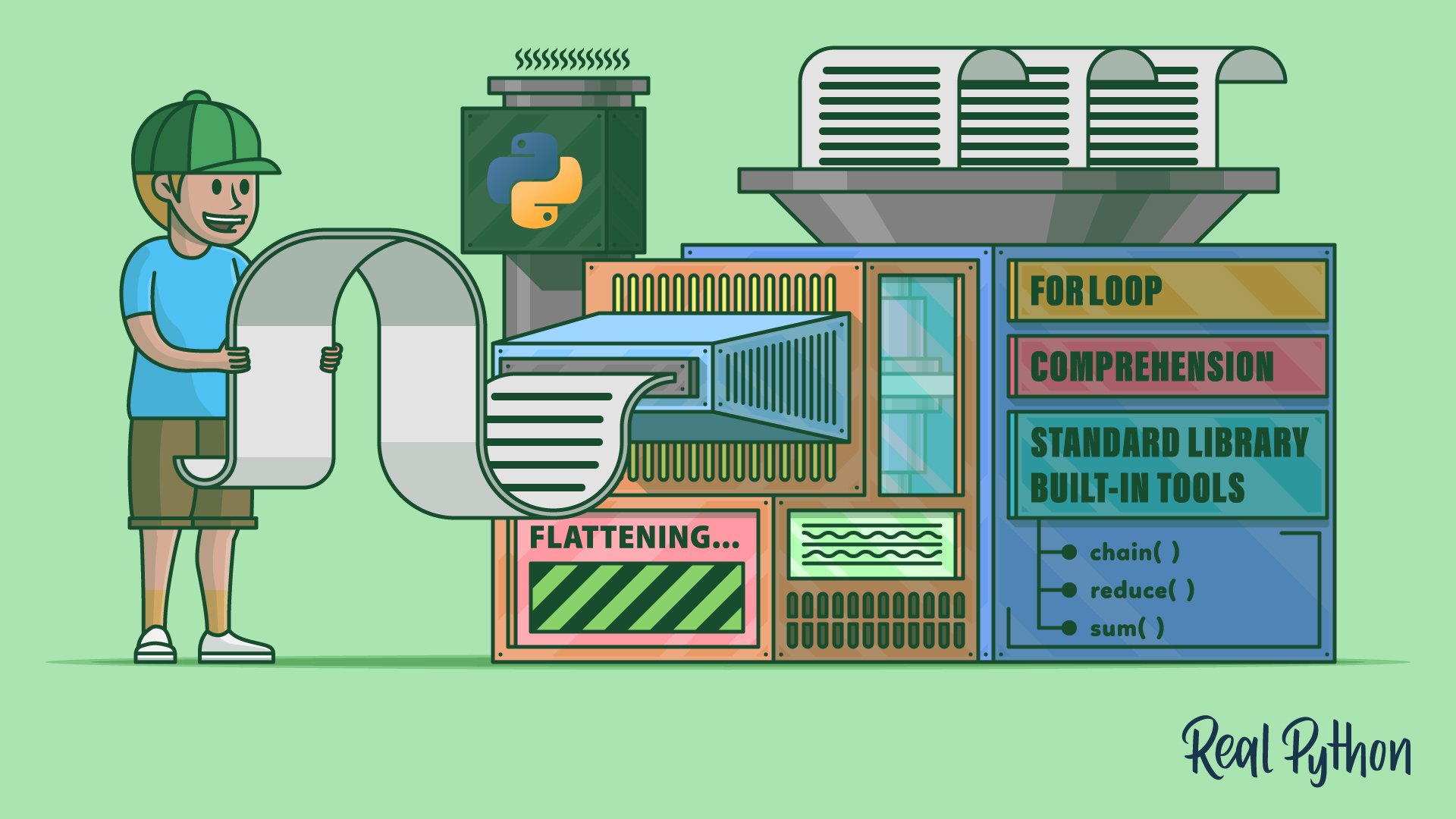
Flattening a list in Python involves converting a nested list structure into a single, one-dimensional list. A common approach to flatten a list of lists is to use a for loop to iterate through each sublist. Then you can add each item to a new list with the .extend() method or the augmented concatenation operator (+=). This will “unlist” the list, resulting in a flattened list.
Python’s standard library offers other tools to achieve similar results. You can also use a list comprehension for a concise one-liner solution. Each method has its own performance characteristics, but for loops and list comprehensions are generally more efficient.
By the end of this tutorial, you’ll understand that:
- Flattening a list involves converting nested lists into a single list.
- You can use a
forloop and.extend()or a list comprehension to flatten lists in Python. - Standard-library functions like
itertools.chain()andfunctools.reduce()can also flatten lists. - A custom
flatten()function, either recursive or iterative, handles arbitrarily nested lists. - The
.flatten()method in NumPy efficiently flattens arrays for data science tasks.
To better illustrate what it means to flatten a list, say that you have the following matrix of numeric values:
>>> matrix = [
...     [9, 3, 8, 3],
...     [4, 5, 2, 8],
...     [6, 4, 3, 1],
...     [1, 0, 4, 5],
... ]
The matrix variable holds a Python list that contains four nested lists. Each nested list represents a row in the matrix. The rows store four items or numbers each. Now say that you want to turn this matrix into the following list:
[9, 3, 8, 3, 4, 5, 2, 8, 6, 4, 3, 1, 1, 0, 4, 5]
How do you manage to flatten your matrix and get a one-dimensional list like the one above? In this tutorial, you’ll learn how to do that in Python.
Free Bonus: Click here to download the free sample code that showcases and compares several ways to flatten a list of lists in Python.
Take the Quiz: Test your knowledge with our interactive “How to Flatten a List of Lists in Python” quiz. You’ll receive a score upon completion to help you track your learning progress:
Interactive Quiz
How to Flatten a List of Lists in PythonTest your understanding of how to flatten a list of lists in Python using for loops, list comprehensions, itertools, recursion, and NumPy.
How to Flatten a List of Lists With a for Loop
How can you flatten a list of lists in Python? In general, to flatten a list of lists, you can run the following steps either explicitly or implicitly:
- Create a new empty list to store the flattened data.
- Iterate over each nested list or sublist in the original list.
- Add every item from the current sublist to the list of flattened data.
- Return the resulting list with the flattened data.
You can follow several paths and use multiple tools to run these steps in Python. The most natural and readable way to do this is to use a for loop, which allows you to explicitly iterate over the sublists.
Then you need a way to add items to the new flattened list. For that, you have a couple of valid options. First, you’ll turn to the .extend() method from the list class itself, and then you’ll give the augmented concatenation operator (+=) a go.
To continue with the matrix example, here’s how you would translate these steps into Python code using a for loop and the .extend() method:
>>> def flatten_extend(matrix):
...     flat_list = []
...     for row in matrix:
...         flat_list.extend(row)
...     return flat_list
...
Inside flatten_extend(), you first create a new empty list called flat_list. You’ll use this list to store the flattened data when you extract it from matrix. Then you start a loop to iterate over the inner, or nested, lists from matrix. In this example, you use the name row to represent the current nested list.
In every iteration, you use .extend() to add the content of the current sublist to flat_list. This method takes an iterable as an argument and appends its items to the end of the target list.
Now go ahead and run the following code to check that your function does the job:
>>> flatten_extend(matrix)
[9, 3, 8, 3, 4, 5, 2, 8, 6, 4, 3, 1, 1, 0, 4, 5]
That’s neat! You’ve flattened your first list of lists. As a result, you have a one-dimensional list containing all the numeric values from matrix.
With .extend(), you’ve come up with a Pythonic and readable way to flatten your lists. You can get the same result using the augmented concatenation operator (+=) on your flat_list object. However, this alternative approach may not be as readable:
>>> def flatten_concatenation(matrix):
...     flat_list = []
...     for row in matrix:
...         flat_list += row
...     return flat_list
...
This function is similar to flatten_extend(). The only difference is that you’ve replaced the call to .extend() with an augmented concatenation. Concatenations like this allow you to append a list of items to the end of an existing list.
Go ahead and call this function with matrix as an argument:
>>> flatten_concatenation(matrix)
[9, 3, 8, 3, 4, 5, 2, 8, 6, 4, 3, 1, 1, 0, 4, 5]
This call to flatten_concatenation() returns the same result as your previous flatten_extend(). Both functions are equivalent and interchangeable. Their goal is to flatten a list of lists. So, it’s up to you to decide which one to use in your code. However, readability-wise, flatten_extend() seems to be a better solution.
Note: In this tutorial, all your examples will use the same list of lists, matrix, as their input. However, the examples would work equally well with nested lists of arbitrary objects, lists that mix different objects, and nested lists of different lengths.
The techniques in the next few sections expect a single level of nesting. If your data has deeper or inconsistent nesting, jump ahead to flattening arbitrarily nested lists.
Now that you know how to tackle the problem of flattening a list of lists, you’re ready to continue exploring other approaches to the same task. This way, you’ll be better prepared to choose the right tool for the job in every concrete situation.
After finishing your exploration, you’ll run a performance test to compare the execution time of the different approaches to flattening a list of lists. This test will provide relevant data for those use cases in which the code’s performance is critical for you.
To kick things off, you’ll start by using a list comprehension, which is a popular and Pythonic list-transformation tool.
Using a Comprehension to Flatten a List of Lists
List comprehensions are a distinctive feature of Python. They’re quite popular in the Python community, so you’ll likely find them in many codebases. List comprehensions allow you to quickly create and transform lists using a syntax that mimics a for loop but only requires a single line of code.
The core syntax of a list comprehension looks something like this:
[expression(item) for item in iterable]
Every list comprehension needs at least three components:
expression()is a Python expression that returns a concrete value, and most of the time, that value depends onitem.itemis the current object fromiterable.iterablecan be any Python iterable object, such as a list, tuple, set, string, or generator.
The for construct iterates over the items in iterable, while expression(item) provides the corresponding item for the new list that results from running the comprehension. Note that comprehensions can also have nested for clauses and conditional statements. In this tutorial, you’ll use nested for clauses.
Note: To dive deeper into what list comprehensions are and how to use them, check out When to Use a List Comprehension in Python.
You can use a list comprehension when you need to flatten a list of lists. The function below shows how:
>>> def flatten_comprehension(matrix):
...     return [item for row in matrix for item in row]
...
This list comprehension has two nested for clauses. The first one iterates over the rows in matrix, which is your list of lists. The second for clause iterates over the items in each row. In this case, the expression is relatively straightforward because you only need to extract the items from each sublist.
Here’s how this function works in practice:
>>> matrix = [
...     [9, 3, 8, 3],
...     [4, 5, 2, 8],
...     [6, 4, 3, 1],
...     [1, 0, 4, 5],
... ]

>>> flatten_comprehension(matrix)
[9, 3, 8, 3, 4, 5, 2, 8, 6, 4, 3, 1, 1, 0, 4, 5]
The call to flatten_comprehension() processes the content of matrix, flattens it, and returns a new one-dimensional list containing the original data.
Comprehensions are quite popular in Python. They allow you to create new lists out of existing iterables. They’re like concise for loops that can help you quickly transform your data and get a new list as a result.
However, comprehensions aren’t the only alternative tool that you can use to flatten a list of lists. The Python standard library hosts a few other tools that can help you with that task. You can even find useful options in the built-in tool kit.
Flattening a List Using Standard-Library and Built-in Tools
You’ll also find a few standard-library and built-in tools that you can use to flatten a list of lists in Python. For example, you can use any of the following tools:
- The
chain()function from theitertoolsmodule - The
reduce()function from thefunctoolsmodule - The built-in
sum()function
In the following sections, you’ll learn how these tools can assist you when you need to flatten a list of lists in your code.
Chaining Iterables With itertools.chain()
As its name suggests, the chain() function chains multiple iterables into a single one. However, instead of giving you a list, chain() returns an iterator that yields items from all the input iterables until they get exhausted.
You can take advantage of chain() along with list() to flatten a list of lists. Here’s how:
>>> from itertools import chain

>>> def flatten_chain(matrix):
...     return list(chain.from_iterable(matrix))
...

>>> matrix = [
...     [9, 3, 8, 3],
...     [4, 5, 2, 8],
...     [6, 4, 3, 1],
...     [1, 0, 4, 5],
... ]

>>> flatten_chain(matrix)
[9, 3, 8, 3, 4, 5, 2, 8, 6, 4, 3, 1, 1, 0, 4, 5]
In this example, you first import chain() from the itertools module. Instead of being a regular function, chain is implemented as a class. That’s why chain has .from_iterable() as a class method. This method provides an alternative constructor that you can use to build a chain from an iterable of iterables, so you can feed it with a list of lists.
The final step is to build a list out of the iterator that .from_iterable() returns. To do that, you call list(), which consumes the iterator and stores its data in a new list. Now if you call flatten_chain() with matrix as an argument, you get a list of flattened data, as expected.
Something to highlight in this solution is that it’s a readable approach to the problem. You can read this almost as plain English: chain the rows of matrix into a single iterable and then convert it into a list.
Concatenating Lists With functools.reduce()
The reduce() function from the functools module is another tool that you can use to flatten lists of lists. This function is part of Python’s functional programming tool kit. It takes a two-argument function that must return a single value and applies that function to the items in an iterable.
To do its job, reduce() takes a pair of items and computes a partial result. Then it uses that result and the next item to compute the next partial result. This process creates an implicit accumulator that stores the cumulative value in every step.
You can use different function-like objects with reduce() to flatten a list of lists. In the example below, you use a custom lambda function:
>>> from functools import reduce

>>> def flatten_reduce_lambda(matrix):
...     return list(reduce(lambda x, y: x + y, matrix, []))
...

>>> matrix = [
...     [9, 3, 8, 3],
...     [4, 5, 2, 8],
...     [6, 4, 3, 1],
...     [1, 0, 4, 5],
... ]

>>> flatten_reduce_lambda(matrix)
[9, 3, 8, 3, 4, 5, 2, 8, 6, 4, 3, 1, 1, 0, 4, 5]
The first argument to reduce() is the lambda function, which takes two arguments, x and y, and returns their sum. Then you pass matrix as the second argument to reduce(). Finally, you use an empty list as the third argument. This argument holds an initial value to start the computation with.
Note that in this example, reduce() internally runs a list-concatenation process. It concatenates the initial empty list with the rows in matrix. The final result is your desired flattened list.
Apart from choosing a custom lambda function, you can also use a few other functions from the standard library to get the same result as in the example above. For example, you can use the following functions from the operator module:
add()sums two numbers together. It’s equivalent to the addition operator (+).concat()concatenates two values together. It’s equivalent to the concatenation operator on lists (+).iconcat()concatenates two values together in place. It’s equivalent to the augmented concatenation operator (+=).
To flatten a list of lists by using one of these functions as an argument to reduce(), you need to replace the lambda function in the example above with the desired function. Go ahead and give it a try!
Using sum() to Concatenate Lists
The built-in sum() function is another tool that you can use to flatten a list of lists. This use case of Python’s sum() may seem weird. It’s not the most readable or obvious solution, but it works, and you may find this approach in other people’s code:
>>> def flatten_sum(matrix):
...     return sum(matrix, [])
...

>>> matrix = [
...     [9, 3, 8, 3],
...     [4, 5, 2, 8],
...     [6, 4, 3, 1],
...     [1, 0, 4, 5],
... ]

>>> flatten_sum(matrix)
[9, 3, 8, 3, 4, 5, 2, 8, 6, 4, 3, 1, 1, 0, 4, 5]
In this example, you use sum() to concatenate the sublists in matrix. Note that for this to work, you must provide an empty list as the second argument to sum(). This argument sets an initial value to start the concatenation.
Even if the built-in sum() function may not be optimized for this type of operation, it provides a quick, one-liner solution that doesn’t require you to import anything or run an explicit loop to get it to work. So, it can save you some thinking and coding time.
Flattening Arbitrarily Nested Lists
So far, the examples have assumed that your list has a single level of nesting, like matrix. In the real world, nesting can be irregular. Think of a parsed JSON document, a tree of folder listings, or a list of search results where some items are grouped into sublists and others aren’t.
You can use at least two natural ways to flatten data like that: recursion or iteration.
Using Recursion
Recursion means that you need a function that calls itself on each sublist until it flattens the entire structure. Here’s a recursive flatten() function that handles arbitrary nesting depth:
>>> def flatten(nested):
...     flat = []
...     for item in nested:
...         if isinstance(item, list):
...             flat.extend(flatten(item))
...         else:
...             flat.append(item)
...     return flat
...
Inside flatten(), you check each item with isinstance(). If the item is itself a list, then you recursively flatten it and extend the result into flat. Otherwise, you treat the item as a leaf value and append it directly to flat.
Here’s how this function works with an irregularly nested structure:
>>> nested = [1, [2, [3, [4, [5, 6]]]], 7, [8, 9]]

>>> flatten(nested)
[1, 2, 3, 4, 5, 6, 7, 8, 9]
The function walks the full tree and returns a single, flat list as expected. Notice that deeply nested data can raise RecursionError if the call stack grows over Python’s recursion limit. Recursion is also slow and hard to debug, so it’s not always the best choice for flattening data.
Using a Loop and a Stack
If you have data with unknown or very deep nesting and don’t want to worry about hitting the recursion limits, then consider rewriting flatten() using loops and a stack of iterators. This approach will do the same work as recursion, but it’ll skip the recursion issues altogether:
>>> def flatten(nested):
...     flat = []
...     stack = [iter(nested)]
...     while stack:
...         for item in stack[-1]:
...             if isinstance(item, list):
...                 stack.append(iter(item))
...                 break
...             flat.append(item)
...         else:
...             stack.pop()
...     return flat
...

>>> flatten([1, [2, [3, [4, [5, 6]]]], 7, [8, 9]])
[1, 2, 3, 4, 5, 6, 7, 8, 9]
In this version of flatten(), stack holds one iterator per level of nesting. On each pass of the while loop, the inner for loop pulls items from the topmost iterator. Flat values go straight into flat. Sublists push a fresh iterator onto the stack and break so the next pass descends into them. When an iterator is exhausted, the else clause pops it so the loop resumes at the outer level.
This implementation sidesteps the recursion limit entirely, so it can handle structures as deep as your available memory allows.
Considering Performance While Flattening Your Lists
Up to this point, you’ve learned about several tools and techniques that you can use to flatten a list of lists in Python. An important aspect of any data-processing algorithm is its efficiency in terms of execution time. This is especially true in Python because it’s not fast compared to other programming languages like C++ or Java.
In this section, you’ll write a small script to test how quickly the different approaches can flatten lists of lists. To kick things off, create a new flatten.py file and put in it all the flattening functions that you’ve coded so far. It should look something like this:
flatten.py
from functools import reduce
from itertools import chain
from operator import add, concat, iconcat

def flatten_extend(matrix):
    flat_list = []
    for row in matrix:
        flat_list.extend(row)
    return flat_list

def flatten_concatenation(matrix):
    flat_list = []
    for row in matrix:
        flat_list += row
    return flat_list

def flatten_comprehension(matrix):
    return [item for row in matrix for item in row]

def flatten_chain(matrix):
    return list(chain.from_iterable(matrix))

def flatten_reduce_lambda(matrix):
    return list(reduce(lambda x, y: x + y, matrix, []))

def flatten_reduce_add(matrix):
    return reduce(add, matrix, [])

def flatten_reduce_concat(matrix):
    return reduce(concat, matrix, [])

def flatten_reduce_iconcat(matrix):
    return reduce(iconcat, matrix, [])

def flatten_sum(matrix):
    return sum(matrix, [])
Note that in this code, you’re trying out all of the functions that you can use with reduce(), including add(), concat(), and iconcat().
You can also download the sample code for this tutorial by clicking on the link below:
Free Bonus: Click here to download the free sample code that showcases and compares several ways to flatten a list of lists in Python.
Then use your favorite code editor or IDE to create a new file with the following content:
performance.py
from timeit import timeit

import flatten

SIZE = 1000
TO_MS = 1000
NUM = 10
FUNCTIONS = [
    "flatten_extend",
    "flatten_concatenation",
    "flatten_comprehension",
    "flatten_chain",
    "flatten_reduce_lambda",
    "flatten_reduce_add",
    "flatten_reduce_concat",
    "flatten_reduce_iconcat",
    "flatten_sum",
]

matrix = [list(range(SIZE))] * SIZE

results = {
    func: timeit(f"flatten.{func}(matrix)", globals=globals(), number=NUM)
    for func in FUNCTIONS
}

print(f"Time to flatten a {SIZE}x{SIZE} matrix (in milliseconds):\n")

for func, time in sorted(results.items(), key=lambda result: result[1]):
    print(f"{func + '()':.<30}{time * TO_MS / NUM:.>7.2f} ms")
In this script, you first import the flatten.py module. Next, you create four constants to store some data that you’ll use later. The final constant is a list of all the functions that you want to compare. Then you create a list of lists with sample data. You call it matrix, as usual.
In this example, you use the timeit() function from the timeit module to measure the execution time of each flattening function. A dictionary comprehension helps you build a dictionary that maps function names to their execution times.
Finally, you run a for loop to show the results sorted by execution time. With this code in place, you can run the script from your command line using the command below. Note that this will take some time before you get the actual output:
$ python performance.py
Time to flatten a 1000x1000 matrix (in milliseconds):

flatten_concatenation()..........5.29 ms
flatten_reduce_iconcat().........5.78 ms
flatten_extend().................6.62 ms
flatten_chain().................15.63 ms
flatten_comprehension()..........23.69 ms
flatten_reduce_lambda().......2645.11 ms
flatten_reduce_concat().......2652.81 ms
flatten_reduce_add()..........2658.96 ms
flatten_sum().................2684.48 ms
In this output, you can see that there are significant differences between the fastest and slowest functions. If you run the script several times, then you’ll see that the functions flatten_concatenation(), flatten_extend(), and flatten_reduce_iconcat() are always fighting for first place. This behavior makes sense because these functions perform in-place mutation on an existing list object.
Meanwhile, flatten_chain() is in a decent fourth place but still takes around three times as long as the first three functions. However, there’s nothing wrong with chain(). The slow-down effect can come from the call to list(), which creates the final list by consuming the iterator that chain() returns. If you’re looking for a memory-efficient solution, then chain() is for you.
Similarly, flatten_comprehension() always occupies the fifth place, maybe because the list comprehension requires running two nested loops to get the list flattened.
The rest of the functions based on reduce() and flatten_sum() are in the last places, with much poorer performance. This behavior makes sense if you consider that these functions keep creating new intermediate lists until they get the final result. In contrast, the top three functions create only one list and mutate it in place. So, they’re also more memory efficient.
With these results, you can conclude that for flattening a list of lists in Python, your best bet is using a for loop and the augmented concatenation operator (+=) or the .extend() method. Using flatten_sum() or certain reduce() functions means creating new intermediate lists, which makes these solutions significantly slower than the others.
Flattening Python Lists for Data Science With NumPy
Many data scientists use Python as their programming language of choice. If you’re one of them, then you spend a lot of time preparing your data for further processing and analysis. In this context, having the ability to flatten lists of lists may be a common requirement.
A flat dataset may be useful when you need to train a machine learning model or use a data science algorithm.
As an example of how to flatten your data, say that you have a NumPy array of nested arrays representing a matrix, and you want to get a flattened array containing all the data from the original one. NumPy arrays have a .flatten() method that does all you need:
>>> import numpy as np

>>> matrix = np.array(
...     [
...         [9, 3, 8, 3],
...         [4, 5, 2, 8],
...         [6, 4, 3, 1],
...         [1, 0, 4, 5],
...     ]
... )

>>> matrix
array([[9, 3, 8, 3],
       [4, 5, 2, 8],
       [6, 4, 3, 1],
       [1, 0, 4, 5]])

>>> matrix.flatten()
array([9, 3, 8, 3, 4, 5, 2, 8, 6, 4, 3, 1, 1, 0, 4, 5])
If you call .flatten() on matrix, then you get a one-dimensional array containing all the data. You’ve flattened the original multidimensional array into a flat, or one-dimensional, one. Cool!
Conclusion
In this tutorial, you’ve learned how to flatten a list of lists in Python. You’ve used different tools and techniques to accomplish this task. First, you used a for loop along with the .extend() list method. Then you used other tools, such as list comprehensions and functions like functools.reduce(), itertools.chain(), and sum().
You also saw how to flatten data at arbitrary depths, both recursively and with an iterative version that uses an explicit stack.
Then you ran a performance test to find out which of these tools offer faster solutions for flattening lists of lists. The test results indicate that your best options include using a loop and the .extend() method or the augmented concatenation operator.
By the end of the tutorial, you also explored some data-science-related tools that allow you to flatten nested datasets in your Python code.
With all this knowledge, you’re now ready to start flattening nested data in Python, whether you’re doing regular data processing or data science.
Free Bonus: Click here to download the free sample code that showcases and compares several ways to flatten a list of lists in Python.
Frequently Asked Questions
Now that you have some experience with flattening lists in Python, you can use the questions and answers below to check your understanding and recap what you’ve learned.
These FAQs are related to the most important concepts you’ve covered in this tutorial. Click the Show/Hide toggle beside each question to reveal the answer.
You can flatten a list of lists in Python by using a for loop with the .extend() method, a list comprehension, or functions like itertools.chain() and functools.reduce().
You create a new list, iterate over each sublist, and use the .extend() method to add each sublist’s items to the new list.
itertools.chain() can efficiently flatten lists by creating an iterator that yields items from all input iterables, which can be more memory-efficient.
Yes, you can use sum() with an empty list as the initial value, but it may not be the most efficient or readable method.
You can flatten lists with inconsistent or deep nesting by using a recursive function that checks each item’s type and calls itself on sublists. For very deep structures that exceed Python’s recursion limit, use an iterative version with an explicit stack instead.
NumPy’s .flatten() method efficiently converts multidimensional arrays into one-dimensional arrays, which is useful for preparing data for machine learning and analysis.
Take the Quiz: Test your knowledge with our interactive “How to Flatten a List of Lists in Python” quiz. You’ll receive a score upon completion to help you track your learning progress:
Interactive Quiz
How to Flatten a List of Lists in PythonTest your understanding of how to flatten a list of lists in Python using for loops, list comprehensions, itertools, recursion, and NumPy.