Discover how to use LlamaIndex with practical examples. This framework helps you build retrieval-augmented generation (RAG) apps using Python. LlamaIndex lets you load your data and documents, create and persist searchable indexes, and query an LLM using your data as context.
In this tutorial, you’ll learn the basics of installing the package, setting AI providers, spinning up a query engine, and running synchronous or asynchronous queries against remote or local models.
By the end of this tutorial, you’ll understand that:
- You use LlamaIndex to connect your data to LLMs, allowing you to build AI agents, workflows, query engines, and chat engines.
- You can perform RAG with LlamaIndex to retrieve relevant context at query time, helping the LLM generate grounded answers and minimize hallucinations.
You’ll start by preparing your environment and installing LlamaIndex. From there, you’ll learn how to load your own files, build and save an index, choose different AI providers, and run targeted queries over your data through a query engine.
Get Your Code: Click here to download the free sample code that shows you how to use LlamaIndex in Python.
Take the Quiz: Test your knowledge with our interactive “LlamaIndex in Python: A RAG Guide With Examples” quiz. You’ll receive a score upon completion to help you track your learning progress:
Interactive Quiz
LlamaIndex in Python: A RAG Guide With ExamplesTake this Python LlamaIndex quiz to test your understanding of index persistence, reloading, and performance gains in RAG applications.
Start Using LlamaIndex
Training or fine-tuning an AI model—like a large language model (LLM)—on your own data can be a complex and resource-intensive process. Instead of modifying the model itself, you can rely on a pattern called retrieval-augmented generation (RAG).
RAG is a technique where the system, at query time, first retrieves relevant external documents or data and then passes them to the LLM as additional context. The model uses this context as a source of truth when generating its answer, which typically makes the response more accurate, up to date, and on topic.
Note: RAG can help reduce hallucinations and prevent models from giving wrong answers. However, recent LLMs are much better at admitting when they don’t know something rather than making up an answer.
This technique also allows LLMs to provide answers to questions that they wouldn’t have been able to answer otherwise—for example, questions about your internal company information, email history, and similar private data.
LlamaIndex is a Python framework that enables you to build AI-powered apps capable of performing RAG. It helps you feed LLMs with your own data through indexing and retrieval tools. Next, you’ll learn the basics of installing, setting up, and using LlamaIndex in your Python projects.
Install and Set Up LlamaIndex
Before installing LlamaIndex, you should create and activate a Python virtual environment. Refer to Python Virtual Environments: A Primer for detailed instructions on how to do this.
Once you have the virtual environment ready, you can install LlamaIndex from the Python Package Index (PyPI):
(.venv) $ python -m pip install llama-index
This command downloads the framework from PyPI and installs it in your current Python environment. In practice, llama-index is a core starter bundle of packages containing the following:
llama-index-corellama-index-llms-openaillama-index-embeddings-openaillama-index-readers-file
As you can see, OpenAI is the default LLM provider for LlamaIndex. In this tutorial, you’ll rely on this default setting, so after installation, you must set up an environment variable called OPENAI_API_KEY that points to a valid OpenAI API key:
With this command, you make the API key accessible under the environment variable OPENAI_API_KEY in your current terminal session. Note that you’ll lose it when you close your terminal. To persist this variable, add the export command to your shell’s configuration file—typically ~/.bashrc or ~/.zshrc on Linux and macOS—or use the System Properties dialog on Windows.
LlamaIndex also supports many other LLMs. For a complete list of models, visit the Available LLM integrations section in the official documentation.
Run a Quick LlamaIndex RAG Example
Now that you’re all set up, it’s time for a quick LlamaIndex example. Make sure to download the companion materials for this tutorial to work with the example files:
Get Your Code: Click here to download the free sample code that shows you how to use LlamaIndex in Python.
Once you’re done, navigate to the downloaded folder and launch a REPL session from there. When you’re in the interactive session, run the following code:
>>> from llama_index.core import SimpleDirectoryReader, VectorStoreIndex

>>> reader = SimpleDirectoryReader(input_files=["./data/pep8.rst"])
>>> documents = reader.load_data()
>>> index = VectorStoreIndex.from_documents(documents)
>>> query_engine = index.as_query_engine()
>>> print(query_engine.query("What is this document about?"))
First, you import the SimpleDirectoryReader and VectorStoreIndex classes from llama_index.core. The first class allows you to read files from a given directory. In this example, you pass a single file in a list using the input_files argument, but you can pass as many files as needed.
The second class builds an index from the input document or documents. The result is a vector index that stores the embedding vectors of your documents.
Note: The .from_documents() method takes a show_progress argument. If you set it to True, then the indexing process will display progress bars in your terminal window.
Next, you call the .as_query_engine() method on the index to get a query engine, which is key because it allows you to query the underlying LLM.
After a few logging messages about HTTP requests to OpenAI’s API, you’ll get a short summary about the content of PEP 8, which is a Python coding style guide:
2025-... - INFO - ... POST https://.../embeddings "HTTP/1.1 200 OK"
2025-... - INFO - ... POST https://.../embeddings "HTTP/1.1 200 OK"
2025-... - INFO - ... POST https://.../completions "HTTP/1.1 200 OK"
2025-... - INFO - ... POST https://.../completions "HTTP/1.1 200 OK"
The document is about coding conventions and style guidelines for
Python code, specifically focusing on the standard library in the
main Python distribution.
The exact phrasing of the response you receive may vary, but it’ll be a brief description of what PEP 8 is about.
At this point, you’ve seen a concrete, working RAG example using LlamaIndex. From here, you’ll break down the example’s components in detail before reassembling them into working code again. First, you’ll take a quick look at the common use cases of LlamaIndex.
Explore Common Use Cases
In practice, you can use LlamaIndex to build different types of AI-powered applications. Here are some common use cases:
- Agents: Automated decision-makers powered by LLMs that interact with the world via a set of tools.
- Workflows: Event-driven abstractions that allow you to orchestrate a sequence of steps and LLM calls.
- Query engines: An end-to-end flow that allows you to ask natural language questions over your data.
- Chat engines: An end-to-end flow for having a conversation about your data, including multiple back-and-forths instead of a single question-and-answer pair.
As you can see, LlamaIndex is a versatile framework that enables you to leverage the power of LLMs and AI in your Python applications. Next, you’ll focus on learning the basics of using LlamaIndex for querying an LLM with your own data as context.
Perform RAG With LlamaIndex
As you already know, LlamaIndex is especially suited for creating AI-powered apps that perform retrieval-augmented generation (RAG). In a RAG workflow, the system loads and organizes your data into a searchable index.
When you submit a question or query to the system, it searches the index to find and retrieve relevant pieces of information. It then passes that information, along with the query, to the underlying LLM, which generates a response grounded in your data.
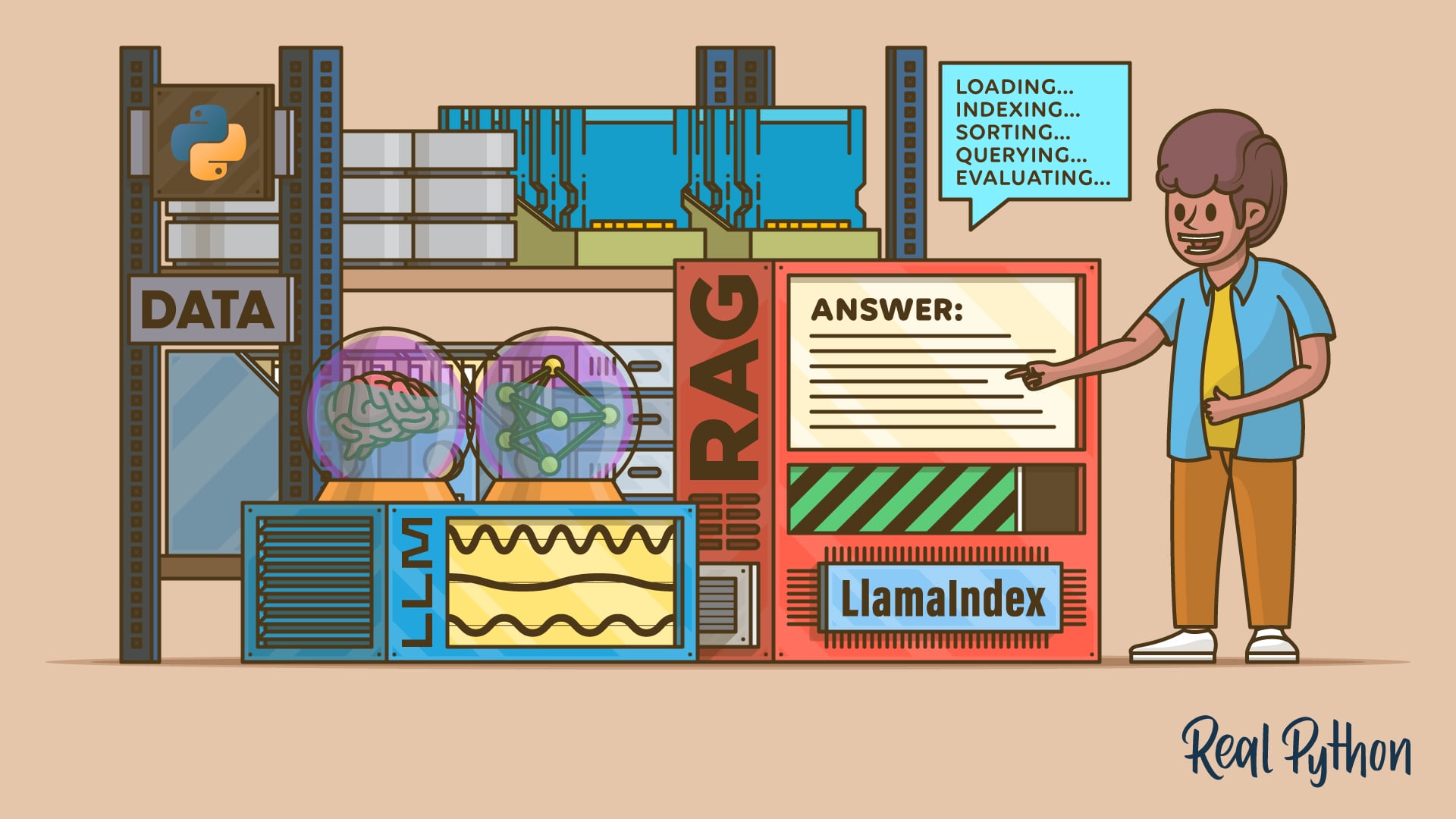
RAG typically goes through these five stages:
- Loading: Retrieves your data from its source, which may include text files, PDF documents, websites, databases, or even a REST API.
- Indexing: Creates a data structure that allows for querying the data. For LLMs, this typically involves creating vector embeddings, which are numerical representations of the data’s meaning.
- Persisting: Stores the index and its metadata so you don’t need to re-index the data.
- Querying: Runs queries against an LLM using the indexed data as additional context.
- Evaluation: Checks the system’s responses for accuracy, factual correctness, faithfulness to the input, and how quickly the answers are returned.
In the following sections, you’ll learn how to use LlamaIndex to perform the four initial stages of RAG: loading, indexing, persisting, and querying. The fifth stage, evaluation, is out of scope for this tutorial. With this knowledge, you’ll be able to build efficient AI-powered applications that ground their responses in your own data.
Load Your Custom Data
The first step in the RAG process is to load your data. LlamaIndex accomplishes this through data connectors, also called readers or loaders. Data connectors load data from various file formats and return Document objects. A Document contains your data and some additional metadata about it.
To read your data, you need to create a reader object. Typically, you’ll use the SimpleDirectoryReader class, which is the built-in data connector. Here’s how it works:
from llama_index.core import SimpleDirectoryReader

reader = SimpleDirectoryReader("path/to/data/directory")
In this code snippet, you first import SimpleDirectoryReader from llama_index.core. Next, you instantiate the class with the path to the directory where your data files and documents live. By default, the reader only reads the files directly placed in the provided directory. If you want the reader to recursively traverse the directory, then you can set the recursive argument to True:
reader = SimpleDirectoryReader(
    "path/to/data/directory",
    recursive=True
)
If you only want to read a few specific files in a directory or in different directories, then you can use the input_files argument, which takes a list of file paths:
reader = SimpleDirectoryReader(
    input_files=["path/to/file1", "path/to/file2", ...]
)
In this case, the reader will only read the files that you explicitly provided in the input list.
Once you’ve created the reader object, you can load the resulting documents:
documents = reader.load_data()
The .load_data() method returns a list of documents, which you can use to build a searchable index, but that’s content for the next section.
The SimpleDirectoryReader constructor accepts several other optional arguments. Here are some useful ones:
exclude: Specifies a glob pattern for file paths to exclude.encoding: Specifies the encoding of the input files, which defaults to"utf-8".file_extractor: Specifies a mapping of files to file extensions that determines how to convert specific files to text.
To see this setup in action, return to the PEP 8 example:
>>> from llama_index.core import SimpleDirectoryReader

>>> reader = SimpleDirectoryReader(input_files=["./data/pep8.rst"])
>>> documents = reader.load_data()

>>> print(documents[0].text)
PEP: 8
Title: Style Guide for Python Code
Author: Guido van Rossum <guido@python.org>,
        Barry Warsaw <barry@python.org>,
        Alyssa Coghlan <ncoghlan@gmail.com>
Status: Active
Type: Process
Created: 05-Jul-2001
Post-History: 05-Jul-2001, 01-Aug-2013
  ...
Here, you create a reader pointing to the file pep8.rst. Again, you’ll find this file in the data/ directory of the resources that accompany this tutorial:
Get Your Code: Click here to download the free sample code that shows you how to use LlamaIndex in Python.
Then, you load the document by calling the .load_data() method on the reader. As a result, you get a list of text documents. In this example, the list contains only one document, pep8.rst. You can display its content by retrieving the first item in the list and accessing its .text attribute.
Although SimpleDirectoryReader is the go-to reader class, you can also use specific readers tailored to your data format. The llama_index.readers.file package includes, but isn’t limited to, the following readers:
CSVReaderfor CSV filesDocxReaderfor Word documentsImageReaderfor images (with vision models)MarkdownReaderfor Markdown filesPandasCSVReaderfor loading CSV files into pandasPandasExcelReaderfor loading Excel files into pandasPDFReaderfor PDF files
You can also install additional readers for ingesting data from the web, GitHub, Google, and YouTube:
| Target | Package |
|---|---|
| Web | llama-index-readers-web |
| GitHub | llama-index-readers-github |
| Google services | llama-index-readers-google |
| YouTube transcripts | llama-index-readers-youtube-transcript |
Several data connectors are available through LlamaHub, which contains a registry of open-source connectors that you can plug into your LlamaIndex applications.
Create an Index of Your Data
In LlamaIndex, an index is a data structure composed of Document objects and designed to enable querying by an LLM. Indexes are designed to complement your querying strategy, providing additional context grounded in your own data.
The VectorStoreIndex class is likely the most commonly used type of index. A vector store index splits your documents into nodes and generates vector embeddings for those nodes, making them ready to be queried by an LLM.
Once you’ve loaded your data into a list of Document objects, you’re ready for the second stage and can build an index using the following code:
>>> from llama_index.core import VectorStoreIndex

>>> index = VectorStoreIndex.from_documents(documents)
2025-... - INFO - ... POST https://.../embeddings "HTTP/1.1 200 OK"

>>> index.index_id
'ae464a85-ea6a-4307-9d33-0eca30457d80'
This code assumes that you’ve saved a list of Document objects in the documents variable from the previous section. The .from_documents() method takes a list of documents and returns a vector store index that’s ready for querying.
LlamaIndex offers several additional index types. Here are some of them:
SummaryIndex: Is well-suited for small datasets where checking all documents is needed or desiredTreeIndex: Is suited for large datasets with a hierarchical structureKeywordTableIndex: Is useful when exact keyword matching is neededKnowledgeGraphIndex: Is helpful when understanding entity relationships is neededDocumentSummaryIndex: Is designed for very large documents that benefit from summary-based retrieval
Depending on your project’s needs, you can use any of these index generator classes. The next step in the process is to persist the index.
Persist the Index
Once you’ve created an index with your documents, the next stage is to save or persist the index to your storage drive. To persist an index, you can use the .persist() method of the index’s .storage_context attribute:
index.storage_context.persist(persist_dir="directory")
The .persist() method takes the directory path where you want to store the index. This folder will contain several JSON files that define the index in a persistent format.
To rebuild and reload the index, you can run the following code:
from llama_index.core import StorageContext, load_index_from_storage

# Rebuild storage context
storage_context = StorageContext.from_defaults(persist_dir="directory")

# Reload index
index = load_index_from_storage(storage_context)
In this code snippet, you first create a StorageContext instance using the .from_defaults() method. This method takes the index storage directory as an argument. Next, you reload the index using the load_index_from_storage() function with the storage context object as an argument.
Persisting an index has several important advantages:
- Improves performance: Avoiding re-indexing every time you run the app can significantly improve performance.
- Saves costs: Creating embeddings for each document incurs costs because an AI model generates them. Without a persistent index, you pay for embeddings every time you run your app. With a persistent index, you pay only once when creating the index.
- Saves time: Creating embeddings can be time-consuming, especially for large document sets. Loading them from disk takes milliseconds.
- Enforces consistency: Using the same embeddings across different sessions of an application allows for reproducible results and improves consistency between runs.
Finally, you can make incremental updates to an existing index with LlamaIndex by updating only the changed documents, rather than re-indexing everything. This saves time and reduces costs.
To continue with the PEP 8 example, go ahead and run the following code so that you persist the index to a directory called storage/ in your current working directory:
>>> index.storage_context.persist(persist_dir="./storage")
Once you run this line of code, Python will create a storage/ subdirectory in your current working directory. Inside this directory, you’ll find the JSON files that make up the index. Now that you’ve persisted the index, it’s time to start querying an LLM with your data as context. This is the fun part of the process!
Query an LLM With the Index as Context
Querying an LLM is the process of prompting the model to get an answer. With LlamaIndex, you can augment your queries with your own data. To run queries against an LLM, you need to create a query engine. You can do this by calling the .as_query_engine() method on an existing index:
query_engine = index.as_query_engine()
Building the query engine on the index object ensures that your private data is consistently used as part of the querying process, providing specific context to the underlying LLM.
Once you have the query engine, you can use its .query() method to make your requests to the model:
response = query_engine.query("Your query goes here...")
The .query() method takes a natural language prompt as an argument. The input prompt is automatically augmented with your own data through the index. As a result of this call, you get a Response object that holds the model’s answer in its .response attribute.
Now it’s time to run a couple of queries using your PEP 8 document as context and see how the model responds:
>>> query_engine = index.as_query_engine()

>>> response = query_engine.query("What is this document about?")
>>> response
Response(response='This document provides...', ...)

>>> response.response
'This document provides coding conventions for Python code, specifically
focusing on the style guide for Python code in the standard library of
the main Python distribution.'

>>> response = query_engine.query(
...     "Summarize the naming conventions in Python."
... )

>>> response.response
'Naming conventions in Python include using lowercase names with words
separated by underscores for function and variable names, using CapWords
convention for class names, using leading underscores for non-public
methods and instance variables, using all capital letters with underscores
for constants, and using specific prefixes like 'self' for instance
methods and 'cls' for class methods. Additionally, there are guidelines
for naming exceptions, global variables, type variable names, and module
and package names.'
Once you run the highlighted lines, you may receive a few logging messages from the model’s API. When you access .response, you get the model’s answer based on your original data. Isn’t that cool?
Write RAG Examples With LlamaIndex
Now, it’s time to put everything together in a single script. To kick things off, you’ll start with a script that runs a single query:
single_query.py
from pathlib import Path

from llama_index.core import (
    SimpleDirectoryReader,
    StorageContext,
    VectorStoreIndex,
    load_index_from_storage,
)

# Define the storage directory
BASE_DIR = Path(__file__).resolve().parent
PERSIST_DIR = BASE_DIR / "storage"
DATA_FILE = BASE_DIR / "data" / "pep8.rst"

def get_index(persist_dir=PERSIST_DIR, data_file=DATA_FILE):
    if persist_dir.exists():
        storage_context = StorageContext.from_defaults(
            persist_dir=str(persist_dir),
        )
        index = load_index_from_storage(storage_context)
        print("Index loaded from storage...")
    else:
        reader = SimpleDirectoryReader(input_files=[str(data_file)])
        documents = reader.load_data()
        index = VectorStoreIndex.from_documents(documents)
        index.storage_context.persist(persist_dir=str(persist_dir))
        print("Index created and persisted to storage...")

    return index

def main():
    index = get_index()
    query_engine = index.as_query_engine()
    response = query_engine.query("What is this document about?")
    print(response)

if __name__ == "__main__":
    main()
After the required imports, you define a constant holding the index storage directory and the path to the target file.
In the get_index() function, you check whether the index storage directory exists. If it does, you load the index from there. Otherwise, you build and persist a new index. Inside the main() function, you get the target index, initialize the query engine, prompt the model, and print the response.
If you run the script, you’ll get output like the following:
(.venv) $ python single_query.py
Index loaded from storage...
This document provides coding conventions for Python code, specifically
focusing on the style guide for Python code in the standard library of
the main Python distribution.
You can also run multiple queries asynchronously using the .aquery() method on the query engine and the asyncio library. Here’s a slightly modified script that runs two queries asynchronously:
async_query.py
import asyncio
from pathlib import Path

from llama_index.core import (
    SimpleDirectoryReader,
    StorageContext,
    VectorStoreIndex,
    load_index_from_storage,
)

# Define the storage directory
BASE_DIR = Path(__file__).resolve().parent
PERSIST_DIR = BASE_DIR / "storage"
DATA_FILE = BASE_DIR / "data" / "pep8.rst"

def get_index(persist_dir=PERSIST_DIR, data_file=DATA_FILE):
    if persist_dir.exists():
        storage_context = StorageContext.from_defaults(
            persist_dir=str(persist_dir),
        )
        index = load_index_from_storage(storage_context)
        print("Index loaded from storage...")
    else:
        reader = SimpleDirectoryReader(input_files=[str(data_file)])
        documents = reader.load_data()
        index = VectorStoreIndex.from_documents(documents)
        index.storage_context.persist(persist_dir=str(persist_dir))
        print("Index created and persisted to storage...")

    return index

async def main():
    index = get_index()
    query_engine = index.as_query_engine()

    queries = [
        "What is this document about?",
        "Summarize the naming conventions in Python.",
    ]

    # Run queries asynchronously
    tasks = [query_engine.aquery(query) for query in queries]
    responses = await asyncio.gather(*tasks)

    # Print responses
    for i, (query, response) in enumerate(zip(queries, responses), 1):
        print(f"\nQuery {i}: {query}")
        print(f"Response: {response}\n")
        print("-" * 80)

if __name__ == "__main__":
    asyncio.run(main())
In this example, you create a list of queries inside main(). Then, you create a list of tasks where every task is an actual query to the LLM. Next, you use the asyncio.gather() function to run the tasks asynchronously.
Finally, the for loop displays the result of each query. It uses the built-in enumerate() function to assign a number to each task and zip() to pair the query with its corresponding response. Go ahead and run the script to check the responses!
Use Other LlamaIndex LLM Integrations
Choosing which LLM to use is one of the most crucial steps in building AI-powered applications. LlamaIndex supports integrations with multiple AI providers, including OpenAI, Anthropic, Google, Mistral, DeepSeek, Hugging Face, and several more.
In the following sections, you’ll learn the basics of how to set up the target LLM in a LlamaIndex application.
Configure Your Target LLM Integration
LlamaIndex uses OpenAI’s gpt-3.5-turbo model by default for text generation. In the examples so far, you haven’t considered the target model, relying on this default setup. However, in real-world applications, you should carefully set up the target model to obtain the best possible responses tailored to your specific needs.
Here’s how you can explicitly set up the target LLM within the OpenAI integration:
>>> from llama_index.core import SimpleDirectoryReader, VectorStoreIndex
>>> from llama_index.llms.openai import OpenAI

>>> reader = SimpleDirectoryReader(input_files=["./data/pep8.rst"])
>>> documents = reader.load_data()
>>> index = VectorStoreIndex.from_documents(documents)

>>> llm = OpenAI(model="gpt-5.1")
>>> query_engine = index.as_query_engine(llm=llm)

>>> response = query_engine.query("Summarize the import rules.")
>>> print(response)
- Put imports at the top of the file, after module comments/docstrings
and before module globals/constants.
- Group imports in this order, with a blank line between groups:
  1) Standard library 2) Third-party 3) Local application/library
- Prefer absolute imports for readability and better error messages;
explicit relative imports are acceptable for complex package layouts.
Standard library code should always use absolute imports and avoid
complex layouts.
  ...
Apart from the known reader and index, you import the OpenAI class from the llama_index.llms.openai module. Then, you create the index as usual.
In the highlighted lines, you create an instance of OpenAI with the target model’s identifier as an argument. In this example, you use GPT-5.1 as your app’s LLM. You can use any other supported model by providing its identifier as defined in the API. Once the model is set up, you can submit your queries and receive responses just as you did before.
You can integrate other LLM providers by installing the appropriate package with pip. As mentioned earlier, you can use models from Anthropic, Google, Hugging Face, and several others. Refer to the list of available model integrations for installation instructions. Some providers, such as Google, also offer free tiers.
Because LlamaIndex creates indexes with OpenAI’s models by default, you must specify an embedding model to use any other provider. To use Google’s models, install the following packages:
(.venv) $ python -m pip install llama-index-embeddings-google-genai
(.venv) $ python -m pip install llama-index-llms-google-genai
Once this installation is finished, you need to set up the GOOGLE_API_KEY environment variable, pointing to a valid API key. Now, you’re ready to use Google’s models:
>>> from llama_index.core import SimpleDirectoryReader, VectorStoreIndex
>>> from llama_index.embeddings.google_genai import GoogleGenAIEmbedding
>>> from llama_index.llms.google_genai import GoogleGenAI

>>> reader = SimpleDirectoryReader(input_files=["./data/pep8.rst"])
>>> documents = reader.load_data()

>>> embed_model = GoogleGenAIEmbedding(
...     model="models/embedding-gecko-001"
... )

>>> index = VectorStoreIndex.from_documents(
...     documents, embed_model=embed_model
... )
2025- ... - INFO - HTTP Request: POST
⮑ https://.../text-embedding-004:batchEmbedContents "HTTP/1.1 200 OK"
2025- ... - INFO - HTTP Request: POST
⮑ https://.../text-embedding-004:batchEmbedContents "HTTP/1.1 200 OK"

>>> llm = GoogleGenAI(model="gemini-2.5-flash")
>>> query_engine = index.as_query_engine(llm=llm)

>>> response = query_engine.query("What is this document about?")
2025- ... - INFO - HTTP Request: POST
⮑ https://.../text-embedding-004:batchEmbedContents "HTTP/1.1 200 OK"
2025- ... - INFO - AFC is enabled with max remote calls: 10.
2025- ... - INFO - HTTP Request: POST
⮑ https://.../gemini-2.5-flash:generateContent "HTTP/1.1 200 OK"

>>> response.response
'This document outlines coding conventions for Python code, specifically
for the standard library within the main Python distribution. It also
mentions that it was adapted from Guido's original Python Style Guide essay,
with additions from Barry's style guide, and that it evolves over time.'
In this example, you use the GoogleGenAIEmbedding class to create the index using the embedding-gecko-001 model. Next, you create the query engine using Google’s Gemini 2.5 Flash model. Finally, you run a query and retrieve the response.
Use Local Model Integrations With Ollama
You can also set up and use local models. To do this, you can use Ollama. For example, suppose you have Ollama installed and running on your computer, and you have the Llama 3.2 and EmbeddingGemma models available. You can integrate LlamaIndex with these models.
To make this integration work, you first need to install the Ollama integration for LlamaIndex:
(.venv) $ python -m pip install llama-index-embeddings-ollama
(.venv) $ python -m pip install llama-index-llms-ollama
Once this installation is complete, you can set up the local Llama 3.2 model with the code below, which uses the EmbeddingGemma model to build the index:
>>> from llama_index.core import SimpleDirectoryReader, VectorStoreIndex
>>> from llama_index.embeddings.ollama import OllamaEmbedding
>>> from llama_index.llms.ollama import Ollama

>>> reader = SimpleDirectoryReader(input_files=["./data/pep8.rst"])
>>> documents = reader.load_data()

>>> embed_model = OllamaEmbedding(model_name="embeddinggemma")
>>> index = VectorStoreIndex.from_documents(
...     documents,
...     embed_model=embed_model
... )
2025- ... - INFO - HTTP Request: POST http://.../embed "HTTP/1.1 200 OK"
2025- ... - INFO - HTTP Request: POST http://.../embed "HTTP/1.1 200 OK"
    ...

>>> llm = Ollama(
...     model="llama3.2",
...     request_timeout=60.0,  # For low-performance hardware
...     context_window=8000,  # For reducing memory usage
... )
>>> query_engine = index.as_query_engine(llm=llm)
2025- ... - INFO - HTTP Request: POST http://.../api/show "HTTP/1.1 200 OK"

>>> response = query_engine.query("What is this document about?")
2025- ... - INFO - HTTP Request: POST http://.../api/embed "HTTP/1.1 200 OK"
2025- ... - INFO - HTTP Request: POST http://.../api/chat "HTTP/1.1 200 OK"

>>> response.response
'This document appears to be about Python coding conventions, specifically
detailing rules for writing readable, maintainable, and consistent code.
It covers a range of topics such as comments, naming conventions, and
documentation strings.'
That’s it! You’ve set up a local model to use with LlamaIndex. Note that the Llama 3.2 model used in this example is a small model with 3 billion parameters, which can be good for quick summarization tasks.
Conclusion
You’ve learned how to install LlamaIndex and have become familiar with RAG workflows. You loaded documents, built and persisted searchable indexes, and created an LLM-powered query engine to ask questions grounded in your data. You also explored swapping in different LLM backends, including OpenAI, Google, and local models via Ollama.
These skills enable you to build data-aware, AI-powered applications by grounding model responses in your private documents, thereby enhancing accuracy and reducing hallucinations.
In this tutorial, you’ve learned how to:
- Install and configure LlamaIndex and set LLM providers such as OpenAI, Google, and Ollama
- Load your data with LlamaIndex readers and build a searchable index
- Create a query engine and run synchronous and asynchronous requests against your selected LLM
- Apply RAG to get answers grounded in your own data
With these skills, you can start building RAG apps targeting your own data. Try connecting new data sources, experimenting with index types, and evaluating different models to refine your system.
Get Your Code: Click here to download the free sample code that shows you how to use LlamaIndex in Python.
Frequently Asked Questions
Now that you have some experience with LlamaIndex in Python and RAG workflows, you can use the questions and answers below to check your understanding and recap what you’ve learned.
These FAQs are related to the most important concepts you’ve covered in this tutorial. Click the Show/Hide toggle beside each question to reveal the answer.
It enables you to connect your data to an LLM by loading documents, building an index, retrieving relevant information at query time, and allowing the model to generate answers grounded in your specific context.
You create a SimpleDirectoryReader instance to load your documents, then build an index with VectorStoreIndex or another index class.
You should persist an index to avoid recomputing embeddings, reduce costs, and maintain consistent results across runs.
You create a query engine with .as_query_engine(), then run .query() for synchronous calls. For asynchronous queries, you run .aquery() and gather multiple responses.
You can configure LlamaIndex’s default LLM provider, OpenAI, by setting the OPENAI_API_KEY environment variable and passing the LLM model ID as an argument to the OpenAI class. You can also utilize other LLM integrations, such as Google’s, by installing the required Python package and setting the corresponding API key. To run local LLMs, you can use Ollama.
Take the Quiz: Test your knowledge with our interactive “LlamaIndex in Python: A RAG Guide With Examples” quiz. You’ll receive a score upon completion to help you track your learning progress:
Interactive Quiz
LlamaIndex in Python: A RAG Guide With ExamplesTake this Python LlamaIndex quiz to test your understanding of index persistence, reloading, and performance gains in RAG applications.